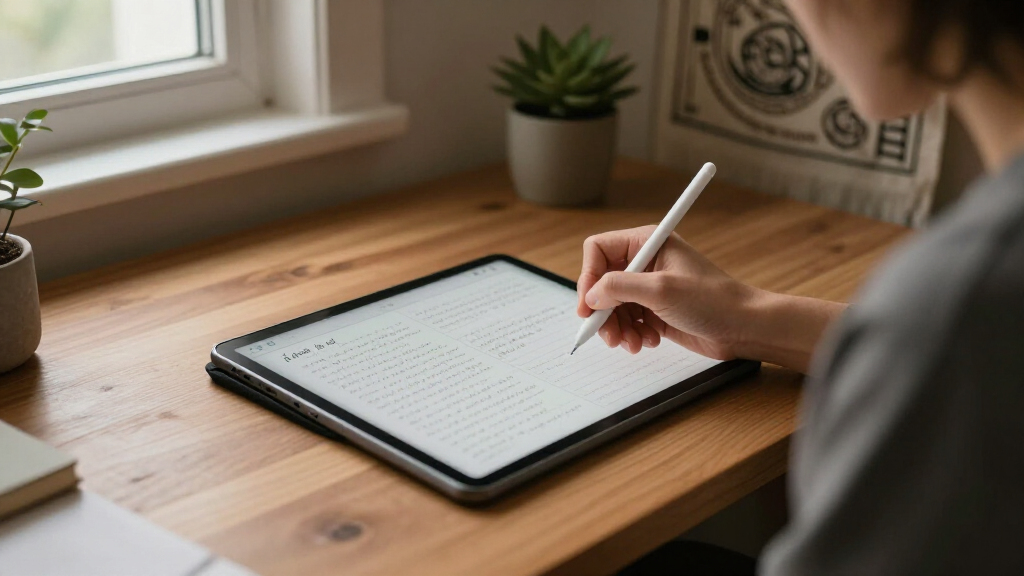

Electronic journal writing tablets split into two very different camps: cheap LCD boards that erase everything with one button, and digital notebooks that save, sync, and organize your entries. The Huion Note 2-in-1 Digital Notebook takes the top spot because it bridges both worlds — you write on real paper, digitize every page, and never worry about losing a thought to an accidental erase. For serious journaling archives, the Penstar eNote 2 with its E-Ink display and AI transcription is the premium standout, while the Mafiti 8.5-inch LCD tablet is the best value pick if you just want a zero-friction scratch pad. The core tradeoff to weigh before buying: spend $10–30 for an erasable board, or $100+ for a device that actually keeps your words. Read on for the full breakdown of all 15 options.

Turn your quiet moments into listening time
- Thousands of audiobooks, podcasts and originals
- Listen on your phone, tablet or Echo — also offline
- Cancel anytime
Key Takeaways
- Basic LCD boards (Mafiti, TIQUS, the 10- and 16-inch models) cannot save or export entries — they are scratch pads, not true journaling tools, despite the marketing language.
- Only four picks in this lineup actually digitize journal entries: the two Huion Note models, the two XPPen Note models, and the Penstar eNote 2 — these are the real contenders for journaling.
- Screen size on LCD boards matters less than erase-lock presence; models without a lock button routinely lose entries to accidental clears, which is fatal for journaling use.
- The Penstar eNote 2’s E-Ink screen is the only option comfortable for long writing sessions and nighttime journaling without eye strain, but it costs several times more than paper-hybrid alternatives.
- Battery-free pens across the Huion and XPPen notebooks remove a real maintenance headache, making them more practical for daily carry than stylus-based LCD boards with coin-cell pens.


| electronic journal writing tablet | Battery | Screen Size |
|---|---|---|
| 11.5-inch LCD Writing Tablet | Replaceable, lasts months | 11.5 inches, edge-to-edge |
| Huion Note Digital Notebook wi | 1300 mAh, up to 18 hours | — |
| 10.5-inch Double-Sided LCD Wri | — | 10.5 inches |
| 14.3-inch Foldable LCD Writing | One button battery, lasts months | 14.3 inches |
| Mafiti 8.5 Inch LCD Writing Ta | CR2016 3.0V, replaceable (~100,000 uses) | 8.5 inches |
| LCD Writing Tablet 6.5" Fine T | Replaceable | 6.5 inches |
| [3 Pack] TIQUS 8.5 Inch LCD Wr | — | — |
| Penstar eNote 2 E-Ink Digital | 6500mAh, up to 4 weeks | 10.3 inches |
| Huion Note 2-in-1 Digital Note | — | — |
| XPPen Note Plus Digital Notebo | 1000mAh | — |
| 10-inch LCD Writing Tablet for | — | 10 inches |
| XPPen 3-in-1 Color Digital Not | 8000mAh, 20W charging | — |
| XPPen StarG640 Digital Graphic | — | — |
| 16 Inch LCD Writing Tablet 2 P | Replaceable coin battery included | 16 inches |
| 10-inch LCD Writing Tablet for | USB rechargeable, weeks per charge | 10 inches |
More Details on Our Top Picks
11.5-inch LCD Writing Tablet, Reusable Digital Notepad with Protective Case
Among basic LCD tablets, this 11.5-inch model stands out for striking the best balance of screen space, protection, and price. Compared with the Mafiti 8.5-inch tablet, the edge-to-edge display gives you nearly double the usable writing area, which matters for anything longer than a grocery list. The protective case with built-in stand is a genuine differentiator — most budget LCD tablets ship bare, and cracked screens are the most common failure point. Palm rejection keeps pages clean if you rest your hand while writing, something the double-sided 10.5-inch option can’t match. The tradeoffs are familiar for this category: the display is single-color and reflective, meaning it performs poorly in dim rooms, and the replaceable coin battery will eventually need swapping. Still, for a paper-notebook replacement, this pick makes the most sense for most buyers.
Pros:- Edge-to-edge 11.5-inch screen gives generous writing room
- Included protective case doubles as a stand, unlike most bare tablets
- Palm rejection keeps writing clean and precise
- Flicker-free, blue-light-free screen comfortable for long sessions
Cons:- Reflective LCD is hard to read in low light
- No digital saving, syncing, or color — writing is erased permanently
Best for: Students and office workers who want a durable, paper-notebook replacement for daily notes and lists without app setup
Not ideal for: Anyone wanting to save or sync notes digitally — nothing here transfers to a phone or cloud
- Screen Size:11.5 inches, edge-to-edge
- Thickness:0.2 inches
- Battery:Replaceable, lasts months
- Protection:Premium case with stand
- Screen Technology:Eye-protection LCD, blue-light-free, flicker-free
- Warranty:1 year
Our verdict“If you want one no-fuss LCD writing tablet that survives a backpack and offers real writing space, this is the safest pick in the lineup.”
Huion Note Digital Notebook with Real-Time & Offline Sync, Battery-Free Pen
This is the pick that answers the biggest weakness of every plain LCD tablet in this roundup: your notes don’t disappear when you erase them. Unlike the 11.5-inch LCD Writing Tablet, the Huion Note captures handwriting and syncs it to a phone over Bluetooth 5.0 or USB-C, with offline storage when you’re disconnected. The battery-free PW320 pen with 8192 pressure levels and tilt recognition also means it doubles as a proper graphics tablet on a PC — a feature nothing else in this batch offers. The catch is complexity and weight: at 433g and A5 paper size, it’s heftier and smaller-screened than dedicated LCD boards, and the initial app pairing takes real effort compared to the zero-setup experience of a basic tablet. You’re paying more and accepting a learning curve for notes that actually last.
Pros:- Real-time and offline note syncing to iOS, Android, Windows, and macOS
- Battery-free EMR pen with 8192 pressure levels and tilt support
- Doubles as a full graphics tablet when connected to a PC
- 18-hour battery life covers a full workday
Cons:- Setup and Bluetooth pairing can be fiddly compared to instant-use LCD tablets
- A5 pad size limits writing area despite the higher price
Best for: Professionals and students who need handwritten notes saved, searchable, and synced to their devices
Not ideal for: Anyone who wants a zero-setup scribble pad — this requires app pairing, charging, and a steeper learning curve
- Size:241 x 178 x 13mm (9.5 x 7 x 0.5 inches)
- Weight:433g (0.95 lbs)
- Connectivity:Bluetooth 5.0, USB-C
- Battery:1300 mAh, up to 18 hours
- Pen:PW320, battery-free EMR, 8192 pressure levels, ±60° tilt
- Resolution:5080 LPI
- Compatibility:iOS 11+, Android 6.0+, Windows 7+, macOS 10.12+, Linux Ubuntu 20.04+
Our verdict“For buyers whose notes need to survive past the erase button, this is the only option in the batch worth the premium.”
10.5-inch Double-Sided LCD Writing Tablet for Adults
The clever pitch here is simple: two writing surfaces in one 6.8-ounce slab. Flip it over and you’ve got a fresh page, effectively doubling capacity before any erase is needed — useful for keeping a to-do list on one side and sketches on the other. Compared with the 14.3-inch foldable tablet, you give up screen real estate but gain a lighter, cheaper device with an estimated 50,000–100,000 erase cycles, which is genuinely durable for the price. Where it falls short is visibility: like most reflective LCDs, the display washes out badly in dim lighting, and there’s no lock switch mentioned, so a stray button press can wipe your work — the foldable model’s lock feature is a real advantage there. For budget-conscious buyers who mostly work in decent light, the two-sided design makes this a smart value.
Pros:- Double-sided screens effectively double your writing space
- Featherlight at 6.8 oz with a slim 0.2-inch profile
- Rated for 50,000–100,000 write cycles
- One-click full-screen erase
Cons:- Poor visibility in low-light or dim indoor settings
- No erase lock, so work can be wiped accidentally
Best for: Budget-conscious students or office workers who want two reusable writing surfaces for the price of one
Not ideal for: Night owls or dim-office workers — the screen needs bright ambient light to stay readable
- Screen Size:10.5 inches
- Screen:Double-sided LCD, full-screen design
- Thickness:0.2 inches
- Weight:6.8 oz
- Durability:50,000–100,000 writing cycles
- Erase:One-click erase
Our verdict“Two screens for the price of one make this the smartest budget pick — as long as you write somewhere bright.”
14.3-inch Foldable LCD Writing Tablet Reusable Digital Notepad with Lock
When the 10.5-inch double-sided tablet feels cramped, this 14.3-inch board is the upgrade path. The foldable bezel-free design is the key trick: it opens up to near-letter-size writing space for brainstorms, diagrams, and weekly plans, then folds down to carry like a small notebook at under a pound. The lock switch is a practical touch the double-sided model lacks — it prevents accidental erasure when the tablet rides in a bag. The included pen holder case also solves the stylus-losing problem that plagues the Mafiti 8.5-inch. Be realistic about limits, though: the display is single-color green with no grayscale subtlety, so it’s for planning and sketching, not art, and the coin battery’s life varies with how often you erase. For desk-side and kitchen-counter use, the size wins.
Pros:- Largest writing area in this batch at 14.3 inches
- Folds in half for portability despite the big screen
- Lock switch protects work from accidental erasure
- Pen holder case keeps the stylus attached
Cons:- Single-color green display only, no grayscale
- Folding hinge adds a seam across the writing surface
- Battery life varies with erase frequency
Best for: Planners, teachers, and home organizers who need letter-size writing space that still folds down for transport
Not ideal for: Artists wanting tonal detail — the monochrome green display can’t render shading or color
- Screen Size:14.3 inches
- Design:Foldable, bezel-free
- Thickness:0.2 inches
- Weight:Under 1 pound
- Battery:One button battery, lasts months
- Included:Stylus, pen holder case
- Erase:One-button erase with lock switch
Our verdict“The pick for people who think big — half the bulk of a large board, all the space of one when unfolded.”
Mafiti 8.5 Inch LCD Writing Tablet, Electronic Drawing & Doodle Board, Portable Whiteboard for Kids & Office
This is the cheapest way to give someone a reusable writing surface, and that’s its whole job. At 8.5 inches and roughly an eighth of an inch thick, it’s small enough for a kid’s backpack or a kitchen drawer, and the kick-stand plus stylus dock make it work as a desktop message board — a nice touch at this price that even some larger tablets skip. It obviously can’t compete with the 11.5-inch tablet with protective case on writing space, or with the Huion Note on saving work, but it costs a fraction of either. Parents should know the limits: it’s rated for around 100,000 uses before the CR2016 battery needs replacing, the stylus is easy to lose if it leaves its dock, and the screen is strictly for simple doodles and notes. For young kids and quick messages, that’s enough.
Pros:- Very low cost with replaceable CR2016 battery
- Kick-stand and stylus dock add desktop convenience
- Ultra-thin, lightweight, and easy for kids to handle
- One-key erase keeps mess and paper waste down
Cons:- Small 8.5-inch screen limits notes to short scribbles
- Stylus is easily lost if not docked after use
Best for: Parents buying a first drawing pad for kids, or anyone needing a cheap desk-side message board
Not ideal for: Serious note-takers or artists — the small screen and single-color display can’t handle detailed work
- Screen Size:8.5 inches
- Battery:CR2016 3.0V, replaceable (~100,000 uses)
- Thickness:1/8 inch
- Included:Stylus, kick-stand
- Erase:One-key erase
- Recommended Uses:Home, office, school
Our verdict“A no-risk first tablet for children and a handy message board for desks — just don’t expect more than that.”
LCD Writing Tablet 6.5″ Fine Tip, No Palm Marks, Electronic Notepad
Portability is the whole point here, and this 6.5-inch tablet delivers it better than anything else in this lineup. At under 4 ounces with a leather case, it slips into a jacket pocket in a way the 8.5-inch TIQUS 3-pack simply cannot. The fine-tip stylus produces handwriting that stays legible at this small size — a genuine advantage, since most budget LCD tablets render thick, smudgy lines that become unreadable on a tiny screen. Palm rejection means resting your hand while writing won’t ghost the display. The tradeoff is unavoidable: this is a quick-capture scratchpad, not a workspace. Compared with the 14.3-inch foldable elsewhere in this roundup, it can’t handle sketches or full-page notes, and the lock switch sits close enough to the edge to get flipped accidentally in a bag.
Pros:- Genuinely pocketable at under 4 oz with included leather case
- Fine-tip stylus keeps small handwriting crisp and readable
- Palm rejection prevents accidental marks and ghosting
- Replaceable battery extends useful life
Cons:- Screen fills up fast — unsuitable for drawings or long notes
- Lock switch placement makes accidental erasure in a bag a real risk
Best for: Commuters, students, and professionals who want an always-with-them capture pad for grocery lists, phone numbers, and quick math
Not ideal for: Artists or journalers who need room to sketch or write full pages — the 6.5-inch surface fills up in a few sentences
- Screen Size:6.5 inches
- Weight:Under 4 oz
- Includes:Leather case, stylus
- Battery:Replaceable
- Writing Feature:Fine tip, no palm marks
- Lock:Lock switch to preserve notes
Our verdict“Buy this if your journal entries are short bursts of capture; skip it if you write more than a paragraph at a time.”
[3 Pack] TIQUS 8.5 Inch LCD Writing Tablets for Kids and Adults
TIQUS 8.5 Inch LCD Writing Tablets for Kids and Adults” image=”https://m.media-amazon.com/images/I/512WSyAQzML._AC_SY300_SX300_QL70_FMwebp_.jpg” link=”0″]Best Value Multi-Pack
View Latest PriceThree tablets for the price of one is the pitch, and for family households it’s a compelling one. While the 6.5-inch fine-tip tablet wins on precision, the TIQUS goes the other direction: a brighter display with thicker strokes that kids and grandparents can both read without squinting. The finger-writable surface means no tears when a stylus disappears under the couch — a failure mode that kills single-tablet purchases in homes with children. Each unit has its own lock button, so one kid can save a drawing while another scribbles on a sibling’s tablet. The compromises are what you’d expect at this price: no backlight for dim rooms, no app sync, and no way to archive notes digitally. This is a replacement for scrap paper and fridge whiteboards, not a rival to the Penstar eNote 2, and it doesn’t pretend otherwise.
Pros:- Three tablets in one pack at a low per-unit cost
- Bright display with thick, easy-to-read strokes
- Finger and stylus input both work, stylus loss is not fatal
- Lock button on each unit protects finished work
Cons:- No backlight makes it hard to use in dim lighting
- Purely analog output — nothing can be saved or transferred digitally
Best for: Families with multiple kids, classrooms, or households that want grab-and-go scribble pads scattered around the house
Not ideal for: Anyone who wants to save, search, or export their writing — there’s no digital sync or storage of any kind
- Size:8.5 inches
- Pack Size:3 tablets
- Color:Black
- Input:Stylus or finger
- Lock:Lock button to save content
- Eco Features:Paperless, reusable
Our verdict“The cheapest way to put an erasable writing surface in every room, as long as you never need to keep what you write.”
Penstar eNote 2 E-Ink Digital Notebook with Pen, 10.3″ AI eNote Tablet
This is the most capable device in the roundup, and the price gap between it and the LCD tablets reflects that. The 300 ppi E-Ink display reads like paper and stays glare-free in direct sunlight — something no LCD option here, including the 16-inch two-pack, can claim. Where the XPPen Note Plus digitizes handwriting through a phone app, the Penstar is a standalone Android 14 device with 128GB of storage, so entire journal archives, PDFs, and EPUBs live on the tablet itself. The AI note organization and voice-to-text turn messy journals into searchable text, and four weeks of battery life means charging is an afterthought. The catch: the pen is sold separately, which pushes the real cost higher, and there’s no waterproofing for poolside or café-spill scenarios. It’s also overkill if you just want a doodle pad.
Pros:- 300 ppi E-Ink display with paper feel and full sunlight readability
- AI-powered organization, voice-to-text, and handwriting conversion
- Up to 4 weeks of battery life with 128GB onboard storage
- Handles PDF, EPUB, DOCX, MP3 and more as a standalone Android 14 device
Cons:- Stylus sold separately, inflating the true cost of ownership
- No waterproofing or rugged build for unpredictable environments
Best for: Dedicated journalers and professionals who want a searchable, self-contained digital notebook with weeks of battery life
Not ideal for: Budget buyers or casual scribblers — the pen costs extra and the feature set is wasted on quick notes
- Screen Size:10.3 inches
- Resolution:2480×1860 (300 ppi)
- Stylus Pressure Levels:8,192
- RAM / Storage:4GB / 128GB
- Battery:6500mAh, up to 4 weeks
- Operating System:Android 14
- Supported Formats:PDF, EPUB, MOBI, TXT, DOCX, JPG, MP3 and more
Our verdict“The closest thing to a true digital journal in this lineup — worth it only if you’ll actually use the AI and storage features.”
Huion Note 2-in-1 Digital Notebook Drawing Tablet with Battery-Free Pen and Refillable Notepads
The Huion Note takes a hybrid approach the pure-LCD tablets don’t attempt: you write on actual paper sitting on a sensor surface, and every stroke is digitized in real time. That gives it the most authentic pen-on-paper feel of any pick here — closer to traditional journaling than even the Penstar eNote 2’s excellent E-Ink screen, and far beyond the slick plastic of the TIQUS 3-pack. The battery-free pen never needs charging, and refillable notepads keep consumable costs low. The standout feature is audio recording synced to your notes, which is invaluable for lectures and meetings — replay a tapped word and hear what was said when you wrote it. The dependency is the weakness: full functionality requires a paired phone and the Huion Note app, and the sparse spec sheet leaves battery and screen details vague where competitors like the XPPen Note Plus publish everything.
Pros:- Writes on real paper for the most natural journaling feel in the roundup
- Battery-free pen needs no charging, ever
- Audio recording synchronized with notes is ideal for lectures
- Refillable notepads and included replacement nibs keep running costs low
Cons:- Requires a compatible mobile device and app for digital features to work
- Battery life and digitizer specs are not disclosed, making comparisons difficult
Best for: Students and meeting-goers who want handwritten pages that sync to their phone, especially with recorded audio attached
Not ideal for: Anyone without a compatible smartphone or who dislikes app-dependent workflows — the notebook is limited without pairing
- Brand:HUION
- Model Name:HUION Note
- Pen Type:Battery-free digital pen
- Notepads:Refillable paper notepads included
- Key Features:Real-time sync, audio recording, mobile app transfer
- Included Items:Digital pen, tablet cover, replacement nibs, pen nib clip, magnetic pen sleeve, USB-C cable, notepads
Our verdict“Pick this if you refuse to give up paper but want a digital backup with audio — skip it if your phone isn’t always nearby.”
XPPen Note Plus Digital Notebook with Pen
Compared with the Huion Note, the XPPen Note Plus is the more polished entry point into smart notebooks: Bluetooth 5.3 syncing is stable and instant, the specs are fully disclosed (a 1000mAh battery, 14 hours continuous use, 50 days standby), and the thin 13mm body feels like a proper A5 journal. Writing on any A5-sized paper core with the dedicated ink pen means you’re not locked into proprietary refills — grab whatever notebook insert you like. It lacks the Huion’s audio recording, which students may miss, and it obviously can’t match the standalone power of the Penstar eNote 2. But for someone who wants to try digitizing their handwriting without an E-Ink device’s cost or learning curve, this is the gentlest on-ramp in the roundup. The 2.5-hour charge time is slower than it should be, and heavy daily use drains the battery faster than the standby figure suggests.
Pros:- Bluetooth 5.3 delivers fast, stable syncing to Android and iOS
- Works with any A5 paper core — no proprietary refill lock-in
- Slim 13mm, 350g body with 50-day standby battery
- Full transparency on specs, backed by a 1-year warranty
Cons:- No audio recording, unlike the Huion Note
- A5-only format limits sketch size and long-form layouts
Best for: First-time smart notebook buyers and professionals who want handwritten notes auto-synced to their phone with minimal setup
Not ideal for: Laptop-free users or anyone wanting audio capture — there’s no standalone storage or recording like pricier rivals
- Model:XP-Pen CT860B
- Dimensions:245 × 176 × 13 mm
- Weight:350g
- Battery:1000mAh
- Battery Life:14 hours continuous, 50 days standby
- Charging Time:2.5 hours
- Connectivity:Bluetooth 5.3
- Compatibility:Android 10.0+, iOS 14.0+
- Warranty:1 year
Our verdict“The easiest way to bridge paper journaling and digital archiving, provided your phone does the heavy lifting.”
10-inch LCD Writing Tablet for Adults with Protective Cover
This tablet earns its spot by pairing a 10-inch pressure-sensitive LCD with a PU cover that folds into a stand — a convenience the Mafiti 8.5 Inch and the [3 Pack] TIQUS boards simply don’t offer at this price. The bright, thick lines make quick notes readable at a glance, and the lock and delete functions let you protect a sketch while clearing an earlier draft.
The tradeoff is permanence: nothing saves, nothing syncs. Compared with the Huion Note, which captures real-time digital copies of your handwriting, this is strictly a scratchpad. There’s also no backlight, so dim rooms make the screen hard to read. If your notes are disposable — lists, brainstorms, meeting doodles — that limitation barely matters, and the low price makes replacing it painless.
Pros:- Bright, thick lines that stay readable
- PU cover doubles as a stable stand
- Lock function protects work from accidental erasing
- No glare or radiation for eye-friendly use
Cons:- No connectivity — cannot transfer notes to phone or computer
- Screen relies on ambient lighting, so it struggles in dim rooms
Best for: Students and office workers who want a cheap, disposable scratchpad for lists and quick notes with a built-in stand
Not ideal for: Anyone who needs to archive notes digitally — there is no saving, syncing, or connectivity of any kind
- Screen Size:10 inches
- Display Technology:LCD pressure-sensitive
- Color:Blue-green monochrome
- Protection:PU protective cover
- Stand:Foldable, stable stand
- Power:Battery operated
Our verdict“A low-risk buy for disposable note-taking, as long as you accept that everything you write eventually gets erased.”
XPPen 3-in-1 Color Digital Notebook 10.95” with 16384 Pressure Levels, Battery-Free X3 Pro Pencil, 2 Magnetic Folio, 6+128GB
This is the most capable device in the roundup — less a writing tablet than a full Android 14 journaling computer. The X3 Pro Pencil’s 16,384 pressure levels deliver the finest line control here by a wide margin, and the AG nano-etched display with TCL NXTpaper 3.0 keeps glare down where the basic LCD boards, like the 16-inch 2 Pack, wash out under office lights. Add 128GB of storage, a 13MP camera, and AI-powered note conversion, and it handles PDF annotation and remote meetings that no standalone LCD tablet can touch.
But that power costs real money and introduces real friction. The narrow viewing angle annoys anyone who shifts positions while writing, multitasking can bog down performance, and full AI features demand a system upgrade first. Compared with the Penstar eNote 2, it trades E-Ink simplicity for color and apps — a trade some journal writers won’t want.
Pros:- 16,384 pressure levels give precise, natural-feeling handwriting
- Paper-like etched display with TÜV SÜD Low Blue Light certification
- Versatile toolset: note conversion, PDF editing, AI features, front camera
- Lightweight 495g, 7mm-thin build with magnetic folio
Cons:- Narrow viewing angle limits readability off-center
- Performance dips when several apps run at once
- Full AI features only unlock after a system upgrade
Best for: Professionals and serious journal keepers who want one device for notes, PDF editing, sketching, and video calls
Not ideal for: Buyers who just want a simple erase-and-rewrite pad — this is overkill, overpriced, and overcomplicated for that job
- Display Size:10.95 inches
- Pressure Levels:16384
- Color Modes:Monochrome LCD, Light Color, Nature Color
- Display Technology:AG nano-etched LCD with TCL NXTpaper 3.0
- Refresh Rate:90Hz
- Storage:6GB RAM + 128GB
- Battery:8000mAh, 20W charging
- Camera:13 MP front
- Operating System:Android 14
Our verdict“If journaling for you means archiving, searching, and annotating — not just scribbling — this is the one device here that can do it all, at a price to match.”
XPPen StarG640 Digital Graphic Drawing Tablet 6×4 Inch with Battery-Free Stylus for Mac, Windows, Chromebook
Unlike every LCD board in this lineup, the StarG640 is a tethered input device — it turns your computer into the journal. That changes the value proposition entirely: notes land directly in OneNote, Word, or any art app, where they’re saved, searched, and shared. The 10-inch LCD with Protective Cover and the 16-inch 2 Pack erase everything; this keeps everything. The battery-free stylus means no charging anxiety, and the 2mm-thin slab slips into a laptop bag.
The compromises are structural, though. A 6×4 inch active area feels cramped for long-form journaling, and some users report connectivity hiccups that require replugging. It also can’t function without a host device, so it’s useless as a standalone capture pad. Where the XPPen 3-in-1 Color Notebook is self-contained, this depends entirely on your computer — which is exactly the point if your notes live in the cloud anyway.
Pros:- Notes save directly into computer apps — nothing is ever lost
- Battery-free stylus with no charging required
- Works across Mac, Windows, and Chromebook
- Slim 2mm profile travels easily
Cons:- Small 6×4 inch active area limits long writing sessions
- Requires a connected computer, so it’s not standalone
- Reported connectivity issues from some users
Best for: Students and remote workers whose notes must live on a computer and who already carry a laptop everywhere
Not ideal for: Anyone wanting a standalone writing surface — it has no screen of its own and needs a connected computer to function
- Model:Star G640
- Stylus:Battery-free PN01
- Active Area:6×4 inches
- Thickness:2 mm
- Compatibility:Mac, Windows, Chromebook
- Included Items:USB cable, quick start guide, power cord
- Warranty:One year
Our verdict“The right pick when your journal needs to end up digital and searchable, provided you accept the tether and the tight writing area.”
16 Inch LCD Writing Tablet 2 Pack, Large Electronic Notepad Reusable Digital Memo Board Erasable Tablet
Two 16-inch boards for one price is the boldest value play in this roundup. The generous surface gives detailed sketches and full-page lists room to breathe — something the 10.5-inch Double-Sided tablet partially solves with its two sides, but at half the continuous canvas. The glare-free screen holds up under kitchen and classroom lighting, and because the boards have no internet connection, nothing is stored or shared, which makes them a genuinely private option for a family message wall or a desk-side planner.
Privacy and size come at the cost of capability. Unlike the Huion Note, which syncs your handwriting to a phone, these boards can’t save a single page — wipe and it’s gone. The coin batteries need occasional replacement, a running cost the 10-inch Leather Cover tablet avoids with USB recharging. Think of these as paper replacements, not journals: brilliant for temporary notes, wrong for anything worth keeping.
Pros:- Huge 16-inch canvas for detailed notes and sketches
- Two boards in one pack for multi-room or shared use
- Glare-free, eye-friendly screen for long sessions
- Fully offline, so nothing is stored or shared anywhere
Cons:- Coin batteries need periodic replacement
- No digital saving or connectivity at all
- Functionally limited to basic writing and drawing
Best for: Families, classrooms, or roommates who want multiple large shared boards for messages, lists, and doodles without paper waste
Not ideal for: Journal keepers building an archive — pages can’t be saved, exported, or recovered once erased
- Screen Size:16 inches
- Pack Size:2 tablets
- Battery:Replaceable coin battery included
- Erasing:One-button erase
- Display:Glare-free pressure-sensitive LCD
- Connectivity:None (offline only)
Our verdict“The smart buy when quantity and screen size matter more than smarts — just treat every page as temporary.”
10-inch LCD Writing Tablet for Adults with Leather Cover
This is the board that looks right in a boardroom. The leather cover reads like a proper journal, which matters when everyone else is carrying Moleskines — and unlike the PU-covered 10-inch tablet earlier in this list, it swaps disposable batteries for a USB rechargeable cell that lasts weeks. At 0.48kg, it sits in a briefcase without notice, making it a natural fit for meeting notes and travel brainstorms.
Under the handsome exterior, it’s still a basic LCD scratchpad. Nothing saves, nothing syncs — a sharp contrast with the XPPen 3-in-1 Color Notebook, which costs far more but archives everything. The stylus is small and easy to lose, and if the battery dies mid-trip without a cable handy, the tablet is dead weight until recharged. Buy it for the look and the convenience, not for capability.
Pros:- Premium leather cover looks professional and protects the screen
- USB rechargeable battery lasts weeks per charge
- Lightweight 0.48kg build travels well
- Reusable design cuts paper waste
Cons:- No saving or connectivity — every page is temporary
- Dead battery requires a USB cable rather than a quick battery swap
- Loose stylus is easy to misplace
Best for: Professionals who want a polished, meeting-appropriate note pad for disposable brainstorming and agenda notes
Not ideal for: Anyone expecting digital journal features — saving, syncing, or export — since this is erase-only with no connectivity
- Screen Size:10 inches
- Cover:Leather
- Weight:0.48 kg
- Battery:USB rechargeable, weeks per charge
- Includes:Stylus, USB charging cable
- Connectivity:None (offline only)
Our verdict“The most presentable option for disposable professional notes, as long as you never need to keep what you write.”

How We Picked
I ranked these products through one specific lens: how well each one serves someone who journals. That means entry permanence came first — can you save, sync, or export what you wrote, or does a single button wipe it? Devices that preserve entries ranked above pure erasable boards regardless of price. Second, I weighed writing feel: pressure sensitivity, pen weight, palm rejection, and whether the surface feels like paper or like a slippery screen. Third, I judged portability and durability, since journaling happens on couches, trains, and nightstands — a fragile device or a heavy one gets left behind.
Finally, I factored value at each price tier, comparing like against like. A $12 LCD board was judged against other LCD boards, not against a $400 E-Ink notebook. This is why the rankings mix categories: a budget board can outscore a mid-tier digital notebook when the notebook’s sync features are clunky or its ecosystem locks you in. Where a product only makes sense for a narrow buyer — kids, doodlers, desktop note-takers — I’ve labeled its role accordingly so you can skip what doesn’t fit your journaling habit.
Factors to Consider When Choosing Electronic Journal Writing Tablets
Before spending anything on an electronic journal writing tablet, you need to answer one honest question: do you want to keep what you write? Everything else — screen size, pen type, price — flows from that decision.Erasable Board vs. True Digital Journal
This is the single biggest fork in the road, and it is where most buyers make an expensive mistake. LCD writing boards are designed to be wiped — most have no memory, no storage, no export. They are brilliant for grocery lists, math scratch work, and kids’ doodles, but if your journaling has any archival value, an accidental erase can destroy an entry permanently. Digital notebooks like the Huion Note and XPPen Note lines digitize every stroke in real time or on sync, so your words live on your phone even if the pad is lost or damaged. A useful test: imagine wanting to reread last month’s entries. If that thought appeals to you, skip LCD boards entirely. If you only ever need today’s page, the savings from a basic board are real and worth taking.
Screen Technology and Eye Comfort
Reflective LCD and matte E-Ink behave completely differently during long writing sessions. E-Ink, found on the Penstar eNote 2, looks like paper under lamplight and produces zero glare or blue light, which matters if you journal in bed. Standard LCD panels are backlit or reflective, which is fine for ten-minute notes but can feel harsh during extended sessions. There is also a brightness tradeoff: E-Ink struggles in dim rooms without a front light, while LCD boards stay readable anywhere. Neither technology is objectively better — the deciding factor is when and where you write. Night journalers should lean E-Ink or a front-lit device; daytime kitchen-counter writers can happily use the cheapest reflective panel.
Pen Experience and Pressure Sensitivity
The pen determines whether journaling feels like writing or like dragging a plastic stylus across glass. Pressure levels — 4096 on the Huion Note, 16384 on the XPPen 3-in-1 — affect line variation if you sketch or letter in your journal, but they matter far less for plain handwriting than pen tip texture and weight. Battery-free pens are the quiet winner here: styluses that need charging or coin cells die at exactly the wrong moment, and replacement batteries for cheap LCD pens are a recurring annoyance. Palm rejection is another underrated factor, especially on fine-tip models. If you rest your hand while writing, a device without rejection will register stray marks that ruin the page.
Size, Portability, and the Foldable Compromise
Bigger screens feel luxurious until you try to carry them. A 14- or 16-inch board is a desk tool — great for a dedicated journaling spot at home, awkward in a bag, and impossible to use one-handed on a train. The 6.5- to 10-inch range hits the sweet spot for portability and still gives enough room for comfortable cursive. Foldable designs like the 14.3-inch model try to split the difference, and they mostly succeed, though the center crease can catch your pen mid-sentence. A good rule: match screen size to where you actually write. If 80 percent of your journaling happens in one room, go large; if your journal lives in a tote bag, stay under 10 inches.
Storage, Sync, and Software Lock-In
For digital notebooks, the companion app matters as much as the hardware. Check whether entries sync via Bluetooth in real time, only when you open the app, or only through manual export — the difference between offline and real-time sync is the difference between never thinking about it and constantly babysitting your device. Also confirm where your pages end up: proprietary apps, PDF exports, or cloud services you already use. Devices with onboard storage like the XPPen 3-in-1’s 128GB offer independence from your phone, but they cost more and add charging overhead. Finally, look at whether handwriting converts to searchable text — the Penstar’s AI transcription turns a stack of pages into a searchable archive, which is transformative if you ever reread old entries.
Common Mistakes to Avoid
The most frequent error is buying a three-pack of budget LCD boards hoping to use them as journals — they make great gifts or fridge memos, but buyers regularly discover the no-save limitation after the return window closes. The second mistake is overbuying: a $400 AI notebook for someone who journals twice a month is money spent on features that never get touched. The third is ignoring erase locks on LCD boards; without one, anything pressing the button in a bag erases your page. And finally, don’t assume ‘digital notebook’ means a screen — models like the Huion Note use real paper with a sensor beneath it, which some writers love for the authentic feel and others find means buying refills forever. Know which type of person you are before checkout.
Frequently Asked Questions
Can a cheap LCD writing tablet actually be used for journaling?
Only for throwaway journaling. LCD boards like the Mafiti, TIQUS multipack, and the various 10- to 16-inch models have no internal memory, so once you hit the erase button — or the button gets pressed accidentally in your bag — the entry is gone forever. Some people use them for morning pages or brain-dump writing where the act matters more than the record, and that is a legitimate use case. But if you ever want to reread or keep what you wrote, you need a device with storage or sync, like the Huion Note or XPPen Note lines. My honest framing: LCD boards are journaling-adjacent tools, not journals.
Is the Penstar eNote 2 worth the premium over the Huion Note models?
It depends entirely on how you journal and where. The Penstar’s E-Ink screen is genuinely easier on the eyes for long, late-night sessions, and its AI handwriting transcription converts pages into searchable, organized text — a real advantage if your journal doubles as a reference you revisit. The Huion Note models cost much less, write on real paper you can digitize, and offer more flexibility if you also sketch. But the Penstar locks you into its ecosystem, adds charging overhead, and its paper-like surface still is not actual paper. If you journal nightly and search old entries often, the Penstar earns its price; for casual or occasional journaling, the Huion route keeps money in your pocket with 80 percent of the benefit.
Do paper-hybrid notebooks like the Huion Note mean I have to keep buying refills?
Yes, and that ongoing cost is the tradeoff for the best-in-class writing feel. The Huion Note and XPPen Note Plus use real notepads with a digitizing sensor underneath, so every page you fill is both physical and digital. Refills are inexpensive compared to E-Ink devices upfront, but the cost never fully stops — heavy journalers will burn through pads. The offsetting benefit is that your digital copies exist even after you archive or discard the physical pages, so you are not forced to store years of paper. If recurring consumable costs bother you more than a higher one-time price, the Penstar or the XPPen 3-in-1 with its screen-and-paper flexibility avoids the refill treadmill entirely.
What size tablet is best for daily journal writing?
For most journalers, the 9- to 11-inch range is the sweet spot. That size roughly matches a standard hardcover journal page, gives cursive handwriting room to breathe, and still fits in a tote or laptop bag. The 6.5- and 8.5-inch boards work for short entries and lists but feel cramped for anything longer than a paragraph. At the other end, 14- and 16-inch boards are wonderful at a desk but effectively tether you to one location, and the foldable 14.3-inch model’s center seam can interrupt pen strokes. Match the size to your actual habit: nightstand and desk writers can go bigger, commuters should stay compact.
Are multipacks like the TIQUS 3-pack a smart buy?
They are smart if you honestly need three boards — one for the fridge, one for a kid, one for the office desk. The per-unit price on multipacks is usually the cheapest way into the category, and distributing them around the house is exactly what these boards are built for. But buying a 3-pack hoping one will serve as your journal repeats the classic mistake: three no-save boards equal zero saved entries. If your goal is journaling, that same money is better saved toward a single Huion Note or XPPen Note Plus that actually archives your writing. Multipacks are for households; single digital notebooks are for journalers.
Conclusion
After comparing all 15 options, the right pick comes down to what journaling means to you. For the best overall journaling experience, the Huion Note 2-in-1 Digital Notebook is my top recommendation — real paper, digitized pages, battery-free pen, and a price that does not sting. The Penstar eNote 2 is the best premium choice for nightly writers who want E-Ink comfort and AI-searchable archives, while the XPPen 3-in-1 Color Digital Notebook suits power users who want storage and sketching headroom.
On the value side, the Mafiti 8.5-inch LCD tablet is the best budget pick for disposable writing, and the TIQUS 3-pack is the smartest buy for households. For beginners testing whether digital journaling sticks at all, the 10-inch LCD tablet with a protective cover is a low-risk starting point. Specific needs round it out: the 6.5-inch fine-tip model for palm-rejection on the go, the 14.3-inch foldable for a big screen that still travels, the 16-inch 2-pack for desk-and-kitchen coverage, and the XPPen StarG640 only if your journaling doubles as digital art on a computer. Whatever you choose, decide up front whether you need to keep your words — that single question filters this entire list down to two or three real contenders.
Halloween Picks
halloween
As an affiliate, we earn on qualifying purchases.