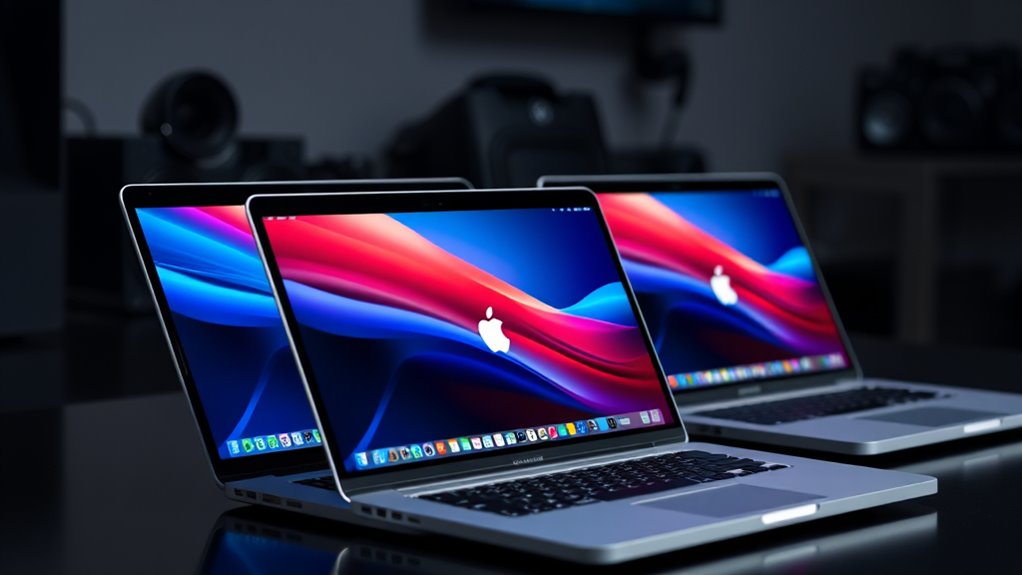

Among these 2TB MacBook Pro laptops, I’d choose the 14-inch 2026 MacBook Pro with M5 Pro as the best overall fit for most people: it pairs a current-generation chip with ample storage in a more portable size. The 16-inch M5 Max models stand out for demanding graphics work and larger screens, while the renewed M1 Max and M2 Max options offer older high-memory configurations. The main tradeoffs are chip generation, screen size, memory, and renewed condition—not storage capacity, since every listed model has a 2TB SSD. Read on for my full breakdown, ranking logic, and advice on which configuration suits your workload.

Turn your quiet moments into listening time
- Thousands of audiobooks, podcasts and originals
- Listen on your phone, tablet or Echo — also offline
- Cancel anytime
Key Takeaways
- The 2026 M5 Pro 14-inch is my best overall pick because it combines a newer chip generation and 2TB storage with a compact display size, without requiring a Max-class configuration.
- M5 Max is the performance-focused tier, but buyers should match its extra graphics capability to sustained creative or technical work rather than assume every user needs it.
- Screen size separates the M5 Max choices: 14.2-inch models favor portability, while 16.2-inch versions provide more workspace and a larger built-in display.
- Memory varies widely even among 2TB models. The 128GB M5 Max configurations target unusually memory-heavy workflows; many buyers can prioritize chip, display, and budget fit instead.
- Renewed M1 Max and M2 Max machines trade newer hardware for older generations and condition uncertainty. They may suit buyers who value high memory configurations, but should be checked carefully for seller terms and battery condition.





| 2tb macbook pro laptop | Processor | Display | Memory | Storage |
|---|---|---|---|---|
| Apple 2026 MacBook Pro Laptop | Apple M5 Pro, 15-core CPU and 16-core GPU | 14.2-inch Liquid Retina XDR | 24GB unified memory | 2TB SSD |
| Apple 2021 MacBook Pro with M1 | Apple M1 Max, 10-core CPU | 14-inch Retina LED, 2560 × 1600 pixels | 64GB DDR4 SDRAM | 2TB |
| 2021 Apple MacBook Pro 16-Inch | Apple M1 Max | 16.2-inch Liquid Retina XDR | 64GB | 2TB SSD |
| Apple 2026 MacBook Pro Laptop | Apple M5 Max, 18-core CPU and 32-core GPU | 16.2-inch Liquid Retina XDR | 36GB unified memory | 2TB SSD |
| Apple MacBook Pro 16-inch with | Apple M5 Max, 18-core CPU | 16.2-inch Liquid Retina XDR | 128GB unified memory | 2TB SSD |
| Apple MacBook Pro Laptop with | M5 Max, 18-core CPU, 40-core GPU | 14.2-inch Liquid Retina XDR | 64GB unified memory | 2TB SSD |
| Apple 2021 MacBook Pro with M1 | Apple M1 Max | 14-inch Liquid Retina XDR, 120Hz | 64GB | 2TB |
| Apple 2026 MacBook Pro Laptop | M5 Max, 18-core CPU, 32-core GPU | 16.2-inch Liquid Retina XDR | 36GB unified memory | 2TB SSD |
| 2023 Apple MacBook Pro with M2 | M2 Max, 12-core CPU, 38-core GPU | 16.2-inch Liquid Retina XDR | 32GB unified memory | 2TB SSD |
| Apple MacBook Pro Laptop with | M5 Max, 18-core CPU, 40-core GPU | 16.2-inch Liquid Retina XDR | 128GB | 2TB SSD |
More Details on Our Top Picks
Apple 2026 MacBook Pro Laptop with M5 Pro Chip, 14.2-inch Liquid Retina XDR Display, 24GB RAM, 2TB SSD, Space Black
For buyers who want 2TB storage without a 16-inch chassis, this 14.2-inch model makes the clearest all-around case. Its M5 Pro chip, 24GB of unified memory, and XDR display suit creative work and demanding multitasking, while the 2TB SSD leaves room for large projects and local files. Compared with the renewed 14-inch M1 Max model, this pick offers a newer chip and Wi-Fi 7, but less memory than that older machine’s 64GB. Thunderbolt 5, HDMI, SDXC, and MagSafe 3 reduce the need for adapters. The tradeoff is that 24GB may constrain unusually memory-heavy workflows, and Apple’s ecosystem is not a natural fit for buyers who depend on non-Apple tools or platforms.
Pros:- M5 Pro chip pairs professional performance with a more portable 14.2-inch format
- 2TB SSD gives substantial room for media, project files, and applications
- Liquid Retina XDR display offers high brightness and contrast for visual work
- Thunderbolt 5, HDMI, SDXC, and MagSafe 3 support varied desk and field setups
Cons:- 24GB unified memory is less suited to the heaviest multitasking than the 64GB renewed M1 Max models
- Apple ecosystem limits flexibility for buyers centered on non-Apple devices and software
Best for: Creative professionals and mobile power users who need 2TB of local storage, a compact Pro display, and current-generation connectivity.
Not ideal for: People running memory-intensive simulations or large production projects that benefit from 64GB or more, or buyers who need a Windows-first setup.
- Processor:Apple M5 Pro, 15-core CPU and 16-core GPU
- Display:14.2-inch Liquid Retina XDR
- Memory:24GB unified memory
- Storage:2TB SSD
- Connectivity:Wi-Fi 7, Bluetooth 6, Thunderbolt 5, HDMI, SDXC, MagSafe 3
- Battery life:All-day
- Weight:3.52 pounds
- Color:Space Black
Our verdict“Choose this 14-inch M5 Pro if you want a current-generation, portable MacBook Pro with 2TB storage and do not need more than 24GB of memory.”
Apple 2021 MacBook Pro with M1 Max Chip, 14-inch, 64GB RAM, 2TB SSD, Silver (Renewed)
This renewed 14-inch MacBook Pro stands out for buyers who put memory capacity ahead of having the newest chip. Its 64GB RAM and 2TB SSD give demanding multitaskers more headroom than the 24GB M5 Pro model, particularly for projects that keep many large assets active. The M1 Max also has a 24-core GPU, making it a capable option for graphics work, though it is an older generation than the M5 Pro and M5 Max machines in this lineup. The smaller display helps keep the footprint below the 16-inch M1 Max model, but the listed resolution and Retina LED panel differ from that larger model’s Liquid Retina XDR display. Renewed condition adds uncertainty: the battery is specified as above 80% capacity, and accessories may be generic.
Pros:- 64GB RAM supports heavier multitasking than the 24GB M5 Pro configuration
- 2TB SSD provides ample internal workspace for substantial project libraries
- M1 Max includes a 24-core GPU for graphics-focused workloads
- 14-inch size is easier to accommodate than the 16-inch renewed M1 Max
Cons:- Older M1 Max generation lacks the newer chip platform featured in the 2026 models
- Renewed condition may include cosmetic wear, and accessories may not be original
- Battery capacity is specified only as exceeding 80%, rather than as new
Best for: Budget-conscious professionals who need a 14-inch MacBook Pro with 64GB RAM and can accept a renewed, older-generation laptop.
Not ideal for: Buyers who want a new machine, the latest wireless and chip features, or a confirmed original accessory set.
- Processor:Apple M1 Max, 10-core CPU
- Graphics:24-core GPU
- Display:14-inch Retina LED, 2560 × 1600 pixels
- Memory:64GB DDR4 SDRAM
- Storage:2TB
- Operating system:Mac OS
- Condition:Renewed; battery capacity exceeds 80%
- Color:Silver
Our verdict“Pick this renewed 14-inch model if 64GB memory matters more than getting the latest generation and you are comfortable with refurbished condition.”
2021 Apple MacBook Pro 16-Inch with M1 Max Chip, 64GB RAM, 2TB SSD, Space Grey (Renewed)
When the work benefits from a large canvas, this renewed 16-inch model brings together a 16.2-inch Liquid Retina XDR display, 64GB RAM, and 2TB storage. That combination is better suited to editing timelines, layered creative files, and side-by-side windows than the renewed 14-inch M1 Max, while retaining the same listed memory and storage capacities. Its three Thunderbolt 4 ports, HDMI, SDXC, and MagSafe 3 make it practical for a desk with external displays and media cards. The tradeoff is portability: the larger body is less convenient to carry than either 14-inch option, and its M1 Max is an older generation than the 2026 M5 Pro and M5 Max models. Since it is renewed, buyers should also allow for possible wear and a more limited warranty.
Pros:- 16.2-inch Liquid Retina XDR display gives demanding creative work more screen area
- 64GB RAM and 2TB SSD support substantial projects and multitasking
- Ports include Thunderbolt 4, HDMI, SDXC, MagSafe 3, and a headphone jack
- 1080p FaceTime HD camera supports clearer video calls
Cons:- Larger 16-inch chassis is less convenient to carry than the 14-inch M1 Max model
- M1 Max is an older generation than the M5 Pro and M5 Max alternatives
- Renewed condition may mean wear or a limited warranty
Best for: Video editors, designers, and other mobile professionals who want a roomy XDR screen and 64GB RAM without requiring a new-generation chip.
Not ideal for: Frequent travelers prioritizing a lighter 14-inch laptop, or buyers unwilling to accept renewed condition and possible warranty limits.
- Processor:Apple M1 Max
- Display:16.2-inch Liquid Retina XDR
- Memory:64GB
- Storage:2TB SSD
- Ports:Three Thunderbolt 4, HDMI, SDXC, MagSafe 3, 3.5mm headphone jack
- Camera:1080p FaceTime HD
- Keyboard:QWERTY English
- Color and condition:Space Grey, renewed
Our verdict“Choose this renewed 16-inch M1 Max if display space and 64GB RAM matter more to your workflow than a newer chip or smaller travel footprint.”
Apple 2026 MacBook Pro Laptop with M5 Max Chip, 16.2-inch Display, 36GB RAM, 2TB SSD, Wi-Fi 7, Silver with AppleCare+ (3 years)
This 16-inch M5 Max configuration is the lineup’s balanced route to a large screen and current-generation graphics power. The 18-core CPU and 32-core GPU suit demanding creative workloads, while 36GB unified memory is a step above the 24GB M5 Pro model. That makes it a stronger fit for more complex projects, though the 128GB M5 Max option is better matched to exceptionally large memory demands. The 2TB SSD keeps the storage capacity consistent with the roundup, and Wi-Fi 7 supports newer wireless networks. A three-year AppleCare+ plan is included, adding a stated support benefit. The cost of this capability is a larger, heavier machine than the 14-inch M5 Pro, and 36GB may still be limiting for workflows that specifically need very high memory capacity.
Pros:- M5 Max with a 32-core GPU is suited to demanding graphics and creative work
- 16.2-inch Liquid Retina XDR display provides a spacious workspace
- 36GB unified memory exceeds the 24GB M5 Pro configuration
- Three-year AppleCare+ is included
Cons:- Larger chassis is less portable than the 14.2-inch M5 Pro model
- 36GB memory is far below the 128GB M5 Max alternative for exceptionally large workloads
- Apple ecosystem may not suit buyers who rely on non-Apple platforms
Best for: Creative professionals who want a new-generation 16-inch MacBook Pro, strong GPU capability, 2TB storage, and included three-year AppleCare+.
Not ideal for: Travelers who prioritize a compact laptop or specialists whose workloads call for the 128GB memory configuration.
- Processor:Apple M5 Max, 18-core CPU and 32-core GPU
- Display:16.2-inch Liquid Retina XDR
- Memory:36GB unified memory
- Storage:2TB SSD
- Connectivity:Wi-Fi 7
- Color:Silver
- Coverage:Three years of AppleCare+
Our verdict“Choose this M5 Max if you want a new 16-inch creative workstation with AppleCare+ and do not need the 128GB memory tier.”
Apple MacBook Pro 16-inch with M5 Max Chip, 18-core CPU, 40-core GPU, 128GB Unified Memory, 2TB SSD, Space Black
This is the specialist choice for buyers whose workloads can use 128GB of unified memory. Paired with an M5 Max featuring an 18-core CPU and 40-core GPU, that capacity gives demanding production, graphics, and AI tasks more room than the 36GB M5 Max model. Both offer a 16.2-inch Liquid Retina XDR display and 2TB SSD, so the key decision is how much memory and GPU headroom the work actually needs—not storage. Three Thunderbolt 5 ports, HDMI, SDXC, and MagSafe 3 offer useful flexibility for studio and on-location setups. This high-capacity configuration is less compelling for everyday office work, where the 36GB M5 Max or 14-inch M5 Pro may be more practical. The 16-inch body also gives up portability for workspace and capability.
Pros:- 128GB unified memory accommodates unusually large active workloads
- M5 Max pairs an 18-core CPU with a 40-core GPU
- 16.2-inch Liquid Retina XDR display gives professionals a large built-in workspace
- Three Thunderbolt 5 ports plus HDMI, SDXC, and MagSafe 3 support studio setups
Cons:- The 16-inch design is less convenient to carry than the 14-inch M5 Pro
- 128GB memory is unnecessary for many everyday and general creative workloads
- 2TB SSD matches lower-memory options, so extra capacity is concentrated in RAM and GPU
Best for: Specialist creators and technical professionals running memory-hungry projects that can take advantage of 128GB RAM and a 40-core GPU.
Not ideal for: General users, frequent travelers, or buyers whose workload does not benefit from memory beyond the 36GB M5 Max configuration.
- Processor:Apple M5 Max, 18-core CPU
- Graphics:40-core GPU
- Display:16.2-inch Liquid Retina XDR
- Memory:128GB unified memory
- Storage:2TB SSD
- Ports:Three Thunderbolt 5, MagSafe 3, SDXC, HDMI, headphone jack
- Wireless:Wi-Fi 7, Bluetooth 6
- Color:Space Black
Our verdict“Pick this 16-inch M5 Max only if your professional workload can make practical use of its 128GB memory and 40-core GPU.”
Apple MacBook Pro Laptop with M5 Max, 18-core CPU, 40-core GPU, 14.2-inch Liquid Retina XDR Display, 64GB RAM, 2TB SSD, Silver
I’d choose this 14.2-inch model when carrying a powerful machine matters as much as having a fast one. Its M5 Max 18-core CPU and 40-core GPU, paired with 64GB of unified memory, offer more headroom for demanding creative and AI workloads than the 36GB configuration in the 16.2-inch M5 Max model listed here. The smaller XDR screen is easier to fit into a mobile setup, while the 2TB SSD gives substantial room for project files. It also has Thunderbolt 5, HDMI, SDXC, and MagSafe, reducing the need to rely on a single connection type. The tradeoff is screen area: editors who want a broad workspace may prefer the 16.2-inch option. I’d also skip it if the M5 Max’s capabilities exceed your workload; a less powerful 2TB MacBook Pro may be a better fit.
Pros:- M5 Max combines an 18-core CPU with a 40-core GPU for intensive creative and compute workloads.
- 64GB unified memory provides more capacity than the 36GB 16.2-inch M5 Max option in this roundup.
- 2TB SSD offers generous space for media, applications, and active projects.
- Thunderbolt 5, HDMI, and SDXC provide useful options for displays and media transfer.
Cons:- The 14.2-inch display offers less working area than the 16.2-inch M5 Max models.
- Its high-end chip and memory may be unnecessary for routine productivity work.
- The description does not provide a specific battery-hour figure, so runtime is harder to compare precisely.
Best for: Mobile video editors, 3D creators, and AI developers who need M5 Max performance, 64GB memory, and 2TB storage in a smaller laptop.
Not ideal for: People who prioritize a large built-in workspace or mainly handle everyday tasks that do not call for a high-end M5 Max chip.
- Processor:M5 Max, 18-core CPU, 40-core GPU
- Display:14.2-inch Liquid Retina XDR
- Memory:64GB unified memory
- Storage:2TB SSD
- Ports:Three Thunderbolt 5, MagSafe 3, SDXC, HDMI, headphone jack
- Wireless:Wi-Fi 7, Bluetooth 6
- Camera:12MP Center Stage
- Audio:Six speakers with Spatial Audio and Dolby Atmos
Our verdict“Choose this model if you need a compact 2TB MacBook Pro with 64GB memory and M5 Max graphics, and can work comfortably on a 14.2-inch display.”
Apple 2021 MacBook Pro with M1 Max Chip (14-inch, 64GB RAM, 2TB SSD, Space Gray, Renewed)
This renewed 14-inch MacBook Pro makes the most sense for buyers who want 64GB memory and 2TB storage without making the newest chip generation a requirement. The M1 Max remains the older platform in this group, so it cannot match the M5 Max models’ newer chip generation or Thunderbolt 5 connectivity. Still, its high memory capacity and Liquid Retina XDR display suit substantial creative projects, and the listed battery life is up to 17 hours. Compared with the 2023 renewed M2 Max 16.2-inch model, this pick has twice the listed memory but a smaller screen. Renewal brings uncertainty that a new M5 Max configuration avoids: packaging may be generic and accessories may not be original. I’d weigh that condition variability against the appeal of its memory and storage combination.
Pros:- 64GB memory supports demanding multitasking and large creative projects.
- 2TB SSD provides substantial local storage for media and work files.
- 14-inch Liquid Retina XDR display is more compact than the 16.2-inch renewed M2 Max option.
- Listed battery life is up to 17 hours.
Cons:- M1 Max is an older chip generation than the M2 Max and M5 Max options in this roundup.
- Renewed condition may come with generic packaging and non-original accessories.
- The listed weight of 6.9 pounds is substantial for a 14-inch laptop.
Best for: Creative professionals who need 64GB memory and 2TB storage, prefer a 14-inch laptop, and are comfortable buying a renewed computer.
Not ideal for: Buyers who want a current-generation chip, Thunderbolt 5, original accessories, or the certainty of a new machine.
- Processor:Apple M1 Max
- Display:14-inch Liquid Retina XDR, 120Hz
- Memory:64GB
- Storage:2TB
- Battery life:Up to 17 hours
- Weight:6.9 pounds
- Condition:Renewed
- Keyboard:QWERTY English
Our verdict“Pick this renewed model if 64GB memory in a 14-inch 2TB MacBook Pro matters more to you than newer-generation performance and new-product condition.”
Apple 2026 MacBook Pro Laptop with M5 Max Chip, 16.2-inch Liquid Retina XDR Display, 36GB RAM, 2TB SSD, Space Black
I’d put this 16.2-inch M5 Max configuration on the shortlist for people who want a roomy screen and current-generation graphics but don’t need 64GB or 128GB of memory. Its 18-core CPU and 32-core GPU pair with 36GB unified memory, leaving it below the 40-core GPU, 64GB 14.2-inch M5 Max model for graphics capacity and memory headroom. In return, the larger XDR display gives timelines, canvases, and side-by-side windows more space. The 2TB SSD and ports including Thunderbolt 5, HDMI, and SDXC make it a capable workstation setup. Compared with the 128GB M5 Max 16.2-inch model in this batch, this one is a more restrained memory configuration; buyers working with unusually large scenes or datasets may prefer that higher-capacity alternative. Its 4.73-pound weight makes frequent carrying a real compromise.
Pros:- 16.2-inch Liquid Retina XDR display gives creative work more screen area.
- M5 Max pairs an 18-core CPU with a 32-core GPU for demanding professional tasks.
- 2TB SSD provides space for substantial project libraries and files.
- Thunderbolt 5, HDMI, and SDXC support varied workstation connections.
Cons:- 36GB memory is less than the 64GB compact M5 Max and 128GB large-screen options in this batch.
- At 4.73 pounds, it is less convenient to carry than a smaller laptop.
- Its 32-core GPU has fewer cores than the 40-core GPU in the 14.2-inch M5 Max configuration.
Best for: Video editors, designers, and developers who want a large 16.2-inch display, M5 Max performance, and 2TB storage without needing 64GB-plus memory.
Not ideal for: Users who travel frequently with their laptop or run memory-heavy projects that call for more than 36GB unified memory.
- Processor:M5 Max, 18-core CPU, 32-core GPU
- Display:16.2-inch Liquid Retina XDR
- Memory:36GB unified memory
- Storage:2TB SSD
- Weight:4.73 pounds
- Ports:Three Thunderbolt 5, MagSafe 3, SDXC, HDMI, headphone jack
- Wireless:Wi-Fi 7, Bluetooth 6
- Camera:12MP Center Stage
Our verdict“Choose this configuration for a spacious 16.2-inch screen and M5 Max capability if 36GB memory is enough for your workload.”
2023 Apple MacBook Pro with M2 Max (16.2-inch, 32GB RAM, 2TB SSD, Space Gray, Renewed)
For buyers who want a large built-in display and substantial storage, this renewed 2023 model pairs a 16.2-inch Liquid Retina XDR screen with a 2TB SSD and M2 Max graphics. Its 38-core GPU is a strong fit for visual workloads, though the 12-core CPU and 32GB memory place it below the newer M5 Max configurations here—especially the 36GB 16.2-inch model. The Thunderbolt 4, HDMI, and SDXC connections cover common workstation needs, even though they are a generation behind the Thunderbolt 5 ports on the newer machines. The main tradeoff is buying renewed: condition and warranty details may differ from a new laptop. I’d favor this over the renewed M1 Max 14-inch model when display size is the priority, but choose the M5 Max options for newer hardware and more memory.
Pros:- 16.2-inch Liquid Retina XDR display provides a large workspace.
- M2 Max includes a 38-core GPU suited to graphics-intensive work.
- 2TB SSD offers ample local capacity for active projects.
- Thunderbolt 4, HDMI, SDXC, and MagSafe 3 support a range of accessories and media.
Cons:- 32GB memory is lower than the M5 Max configurations in this batch.
- Renewed condition may bring warranty or longevity uncertainty.
- Thunderbolt 4 is an older connection generation than Thunderbolt 5 on the newer M5 Max models.
Best for: Editors and designers who want a 16.2-inch XDR display, 2TB storage, and discrete high-end graphics in a renewed MacBook Pro.
Not ideal for: Buyers who need newer-generation M5 Max features, more than 32GB memory, or the lower uncertainty of a new laptop.
- Year:2023
- Processor:M2 Max, 12-core CPU, 38-core GPU
- Display:16.2-inch Liquid Retina XDR
- Memory:32GB unified memory
- Storage:2TB SSD
- Ports:Three Thunderbolt 4, HDMI, SDXC, MagSafe 3, headphone jack
- Color:Space Gray
- Condition:Renewed
Our verdict“Choose this renewed M2 Max if a large XDR display and 2TB storage matter more than newer-chip features or a new-product purchase.”
Apple MacBook Pro Laptop with M5 Max, 16.2-inch Display, 128GB Memory, 2TB SSD, Silver
This is the memory specialist in the group: 128GB unified memory paired with an M5 Max 18-core CPU and 40-core GPU makes it the clearest fit for workloads that keep enormous projects, datasets, or many demanding applications in active use. It shares its 16.2-inch display size with the M5 Max 36GB model, but offers far more memory and a 40-core rather than 32-core GPU. Against the 14.2-inch M5 Max with 64GB, it favors screen space and memory capacity over a smaller footprint. The 2TB SSD is useful, though buyers handling very large media libraries may still need external storage. This configuration is hard to justify for general office work: its substantial memory is most valuable when software and projects can use it. Its large chassis also makes portability a compromise.
Pros:- 128GB memory offers the highest capacity among the five products reviewed here.
- M5 Max combines an 18-core CPU with a 40-core GPU for demanding professional workloads.
- 16.2-inch Liquid Retina XDR display gives complex projects more workspace.
- Thunderbolt 5, HDMI, and SDXC support a flexible desktop or media workflow.
Cons:- 128GB memory is excessive for many everyday and mid-level creative workloads.
- A 16.2-inch laptop is less convenient for frequent travel than the 14.2-inch M5 Max model.
- The 2TB internal SSD may not hold very large video or data archives without external storage.
Best for: Professionals running memory-hungry creative applications, large datasets, complex simulations, or multiple demanding workloads on a 16.2-inch screen.
Not ideal for: Everyday users, frequent travelers, and buyers whose projects will not benefit from 128GB memory.
- Processor:M5 Max, 18-core CPU, 40-core GPU
- Display:16.2-inch Liquid Retina XDR
- Memory:128GB
- Storage:2TB SSD
- Color:Silver
- Ports:Three Thunderbolt 5, MagSafe 3, SDXC, HDMI, headphone jack
- Wireless:Wi-Fi 7, Bluetooth 6
- Camera:12MP Center Stage
Our verdict“Pick this 2TB MacBook Pro if your professional workload can use 128GB memory and you want M5 Max performance on a large display.”
How We Picked
I ranked these laptops by how well their 2TB storage, chip, memory, screen size, and condition serve distinct buyer needs. Since all ten have the same listed SSD capacity, storage alone does not separate them; the meaningful differences are generation, portability, graphics capability, memory headroom, and whether a model is renewed. I gave stronger placement to configurations with a clear use case and fewer compromises for the likely buyer, rather than treating the highest specifications as the automatic winner.
The 2026 M5 Pro 14-inch leads as a balanced choice for a broad range of professional work. M5 Max models rank higher for buyers who can use their graphics and memory capacity, with screen size and configuration shaping their order. Renewed M1 Max and M2 Max options sit lower because older-generation hardware and condition variability require more buyer scrutiny, even where their memory specifications remain attractive. The listed configurations do not provide enough evidence to compare battery health, exact display condition, or seller support, so those details should be verified before purchase.
| 2tb macbook pro laptop | Color | Ports |
|---|---|---|
| Apple 2026 MacBook Pro Laptop | Space Black | — |
| Apple 2021 MacBook Pro with M1 | Silver | — |
| 2021 Apple MacBook Pro 16-Inch | — | Three Thunderbolt 4, HDMI, SDXC, MagSafe 3, 3.5mm headphone jack |
| Apple 2026 MacBook Pro Laptop | Silver | — |
| Apple MacBook Pro 16-inch with | Space Black | Three Thunderbolt 5, MagSafe 3, SDXC, HDMI, headphone jack |
| Apple MacBook Pro Laptop with | — | Three Thunderbolt 5, MagSafe 3, SDXC, HDMI, headphone jack |
| Apple 2021 MacBook Pro with M1 | — | — |
| Apple 2026 MacBook Pro Laptop | — | Three Thunderbolt 5, MagSafe 3, SDXC, HDMI, headphone jack |
| 2023 Apple MacBook Pro with M2 | Space Gray | Three Thunderbolt 4, HDMI, SDXC, MagSafe 3, headphone jack |
| Apple MacBook Pro Laptop with | Silver | Three Thunderbolt 5, MagSafe 3, SDXC, HDMI, headphone jack |
Factors to Consider When Choosing 2tb Macbook Pro Laptops
Because every laptop here includes a 2TB SSD, the better choice depends on how the rest of the configuration fits your work and daily routine. I’d decide in this order: workload, portability, memory needs, then purchase condition and support. These checks can prevent paying for capacity or performance that will not change your day-to-day experience.
Match the chip tier to the work you actually do
Start with the heaviest tasks you expect to run regularly, not an occasional peak workload. Video effects, complex 3D scenes, and graphics-intensive production can make a Max-class chip more useful than a Pro-class option. Writing, office work, web development, and many general creative tasks may not benefit enough to justify choosing the more demanding tier. A common mistake is treating the Max name as a blanket sign of a better purchase. If your workflow rarely taxes graphics performance, a newer Pro configuration may be a more balanced system. Check the software you use and its hardware recommendations before paying for extra capability.
Choose display size around where you work
A 14-inch model is easier to carry and takes up less room, which matters if your laptop moves between home, office, and travel. A 16-inch screen gives you more built-in space for timelines, panels, and side-by-side documents, reducing how often you may need an external monitor. The larger body can be less convenient to transport, so the screen advantage has a daily portability cost. Think about your usual desk setup rather than assuming the biggest display is always best. If you mostly work docked, an external monitor may make the 14-inch model a sensible choice. If the laptop itself is your main workspace, the 16-inch size may be worth prioritizing.
Do not confuse SSD capacity with working memory
The 2TB SSD provides room for applications and local files, but it does not replace unified memory when several demanding tasks run at once. Large video projects, extensive sample libraries, virtual machines, or complex image workflows can benefit from more memory. Buyers with lighter or moderate workloads may find a lower-memory configuration more appropriate than the largest one listed. A frequent buying error is choosing abundant storage while overlooking the memory needed for active projects. Estimate how many large applications and files you keep open at once, then check the requirements of your usual software. Remember that configuration choices on a MacBook Pro are generally not a simple later upgrade, so make this decision before buying.
Treat renewed status as a separate buying decision
Renewed M1 Max and M2 Max models can offer configurations with substantial memory, but their age and condition require extra checks. Read the seller’s description for battery condition, included accessories, return terms, and any warranty coverage rather than relying on the word “renewed” alone. Ask whether the device has been inspected and whether cosmetic wear is documented. Older hardware may still suit a stable workflow, but it will not have the same chip generation as the 2026 options in this roundup. Compare the total ownership tradeoff, including support and expected software needs, rather than focusing only on the listed specifications. If predictable condition and a newer platform matter most, a current-generation model is the safer direction.
Pay for memory headroom only when your workload can use it
The 128GB configurations are aimed at demanding tasks that keep large amounts of data active, such as complex 3D work, high-resolution production, or specialized development environments. More memory can reduce slowdowns when a workload exceeds a smaller configuration, but it does not make every app faster by itself. For many buyers, 36GB or 64GB may be a more proportionate fit, depending on their software and project scale. Consider your current workload and plausible near-term growth, not an imagined future where every task becomes more demanding. If you cannot name a regular memory-intensive task, prioritize a suitable chip and screen instead. This helps keep a high-spec machine from becoming an expensive mismatch.
Check the complete configuration and support details
Product names can hide meaningful differences, so verify the exact model, chip, memory, display, and storage before ordering. This roundup includes multiple M5 Max systems with different screen sizes and memory levels, as well as a 16-inch configuration bundled with AppleCare+. Confirm what the support plan covers and when its term begins; a bundled plan is useful only if its terms fit your needs. Also check connectivity requirements for external displays, storage, and other equipment you already own. A carefully matched configuration is more useful than a headline specification that does not address your workflow. Keep the order confirmation and configuration details so any mismatch is easy to identify.
Frequently Asked Questions
Is 2TB enough storage for a MacBook Pro used for video or creative work?
It can be enough for active projects and a substantial library, but the answer depends on file sizes and how many projects you keep locally. High-resolution video, large audio sessions, and 3D assets can consume space quickly. Consider whether completed projects will move to external storage or remain on the laptop. External drives can expand capacity, though they add equipment to carry and manage. If your work requires frequent access to many large projects, make a storage plan before assuming 2TB will last indefinitely.
Should I buy an M5 Pro model or pay for an M5 Max configuration?
Choose based on the work that regularly uses graphics performance, rather than on the chip name alone. The M5 Max options make more sense for demanding creative or technical workflows, while the M5 Pro 14-inch is a more balanced choice for mixed professional use. Check the requirements and performance guidance for your key applications, especially if you rely on rendering or graphics-heavy tasks. If you rarely run those workloads, paying for a Max configuration may bring little practical benefit. Screen size and memory can matter as much as the chip tier for some buyers.
Is a renewed M1 Max or M2 Max MacBook Pro a sensible purchase in 2027?
It may be sensible if the configuration fits your work and you are comfortable buying an older-generation laptop. These renewed models include substantial memory options, which can suit some demanding workflows, but their condition and support terms need direct verification. Check battery health, return eligibility, warranty coverage, and the seller’s description of cosmetic condition. Also confirm that your essential software and connected equipment remain compatible with the model. Choose a newer M5 system if you place greater value on the latest platform and a clearer path for future use.
Will I notice the difference between 36GB, 64GB, and 128GB of memory?
You are most likely to notice a difference when your normal workload keeps large projects or many demanding applications active at the same time. Tasks such as complex 3D scenes, virtual machines, and large production sessions may benefit from higher memory capacity. For lighter work, extra memory may not change everyday responsiveness enough to justify choosing it over other features. Look at your application requirements and observe whether your current computer runs out of memory during typical work. Since memory is a built-in configuration choice, it is sensible to allow headroom for expected needs without buying the largest option by default.
Should I choose the 14-inch or 16-inch MacBook Pro if I already use an external monitor?
If the laptop spends most of its time connected to a monitor, the 14-inch model can reduce the size and weight you carry without giving up your main desktop workspace. The 16-inch version is more useful when you often work away from that monitor and want extra room on the built-in display. Consider how frequently you travel, work in shared spaces, or need to view a timeline and tools together. Also check that your existing monitor setup meets your connection and resolution needs. Let your usual working location, rather than occasional use, guide the size choice.
Conclusion
For most buyers, I recommend the 2026 14-inch MacBook Pro with M5 Pro as the best overall 2TB choice: it pairs current-generation hardware with a portable format. The best value direction is a renewed M1 Max or M2 Max only if its condition, return terms, and support check out and the older generation suits your needs. For the best premium pick, choose an M5 Max configuration; select 128GB memory only when your work can use that headroom. The best choice for beginners is the M5 Pro 14-inch, which avoids paying for Max-tier capability before you know you need it. For specific needs, pick an M5 Max 14-inch when performance and portability must coexist, or a 16-inch M5 Max when screen space is a priority. Your final decision should follow the workload you run most often, not the longest specification list.
Halloween Picks

12.5-Foot Lighted Halloween Inflatable Archway

Pumpkin Halloween Fog Machine with 12-Color LEDs, Bluetooth Speaker, and Remote

Govee Outdoor Halloween Projector Light with 3D Effects
As an affiliate, we earn on qualifying purchases.