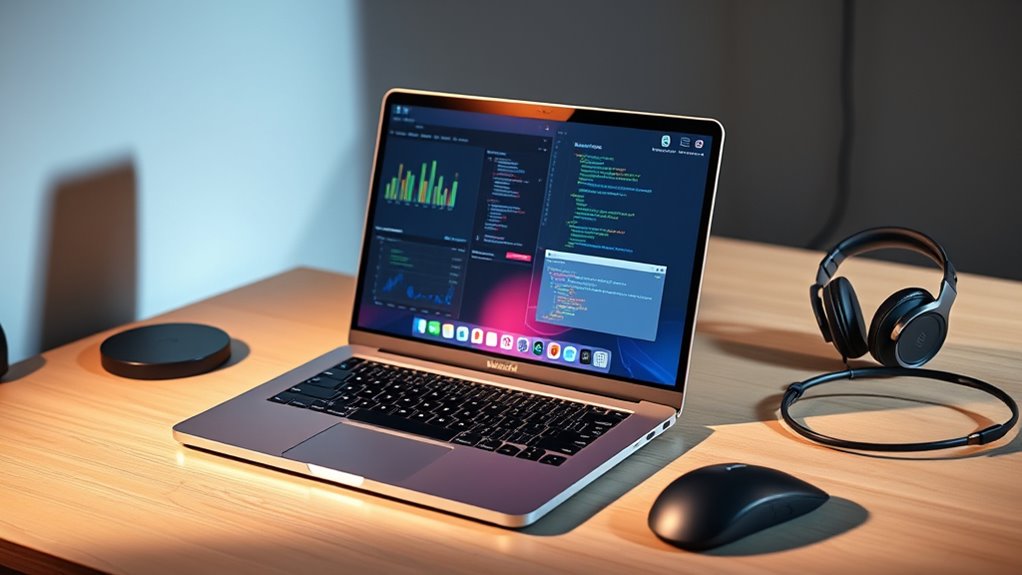

For college power users, the 2026 16-inch MacBook Pro with M5 Pro is my best overall pick: its 48GB of memory and 1TB SSD give demanding projects room to grow without going all the way to an M5 Max configuration. The 2025 14-inch MacBook Pro with M5 stands out for students who want a more portable system, while the 14-inch M2 Pro model is a value-minded choice if its older generation meets your workload. The main tradeoffs are portability versus screen space, memory and storage headroom versus carrying more power than you need, and newer hardware versus a lower-cost older configuration. I compare all six options by fit for coursework, creative work, coding, and campus use. Read on for the full breakdown and help matching a MacBook Pro to your workload.

Turn your quiet moments into listening time
- Thousands of audiobooks, podcasts and originals
- Listen on your phone, tablet or Echo — also offline
- Cancel anytime
Key Takeaways
- The 16-inch M5 Pro is the strongest balanced choice: 48GB memory and a 1TB SSD offer substantial capacity for demanding coursework without the M5 Max’s 128GB configuration.
- The M5 Max models are specialist picks, not automatic upgrades: their 128GB memory and 2TB SSD make the most sense for unusually heavy creative or technical work.
- The 14-inch M5 prioritizes campus portability: its 24GB memory and 1TB SSD make it a more capable everyday setup than a basic student laptop, but it has less headroom than the 16-inch options.
- The 14-inch M2 Pro is the older-generation value option: it offers a Pro-class setup with 16GB memory and 512GB storage, though those capacities leave less room for large projects.
- The 2019 renewed 16-inch model is the most compromised pick: its larger display may appeal, but age, renewed condition, and less certain long-term support matter for a laptop expected to last through college.
| Apple MacBook Pro 16-inch (Late 2019, Renewed) – Space Gray |  | Best for Intel-Dependent Coursework | Processor: 2.3GHz Intel Core i9, 9th Gen | Memory: 32GB | Storage: 1TB SSD | VIEW ON AMAZON | See Our Full Breakdown |
| Apple MacBook Pro Laptop with M5 Max, 16.2-inch Display, 128GB Memory, 2TB SSD, Silver |  | Best for Maximum On-Campus Workloads | Processor: M5 Max, 18-core CPU and 40-core GPU | Display: 16.2-inch Liquid Retina XDR | Memory: 128GB | VIEW ON AMAZON | See Our Full Breakdown |
| Apple 2023 MacBook Pro Laptop with M2 Pro Chip, 14.2-inch Liquid Retina XDR Display, 16GB RAM, 512GB SSD, Space Gray |  | Best Compact Pro Pick | Processor: M2 Pro, up to 12 CPU cores and 19 GPU cores | Display: 14.2-inch Liquid Retina XDR | Memory: 16GB unified memory | VIEW ON AMAZON | See Our Full Breakdown |
| Apple MacBook Pro Laptop with M5 Max, 16.2-inch Display, 128GB Memory, 2TB SSD, Space Black |  | Best for Full-Scale Creative Production | Processor: M5 Max, 18-core CPU and 40-core GPU | Display: 16.2-inch Liquid Retina XDR | Memory: 128GB unified memory | VIEW ON AMAZON | See Our Full Breakdown |
| Apple 2026 MacBook Pro Laptop with M5 Pro Chip, 16.2-inch Liquid Retina XDR Display, 48GB RAM, 1TB SSD, Space Black |  | Best Balanced 16-Inch Power Pick | Processor: Apple M5 Pro, 18-core CPU and 20-core GPU | Display: 16.2-inch Liquid Retina XDR | Memory: 48GB unified memory | VIEW ON AMAZON | See Our Full Breakdown |
| Apple 2025 MacBook Pro Laptop with M5 Chip, 14.2-inch Liquid Retina XDR Display, 24GB Memory, 1TB SSD, Space Black |  | Best Compact Power User Pick | Processor: Apple M5 chip with 10-core CPU and GPU | Display: 14.2-inch Liquid Retina XDR | Memory: 24GB unified memory | VIEW ON AMAZON | See Our Full Breakdown |
| macbook pro for college power user | Processor | Memory | Storage | Display |
|---|---|---|---|---|
| Apple MacBook Pro 16-inch | 2.3GHz Intel Core i9, 9th Gen | 32GB | 1TB SSD | 16 inches |
| Apple MacBook Pro Laptop with | M5 Max, 18-core CPU and 40-core GPU | 128GB | 2TB SSD | 16.2-inch Liquid Retina XDR |
| Apple 2023 MacBook Pro Laptop | M2 Pro, up to 12 CPU cores and 19 GPU cores | 16GB unified memory | 512GB SSD | 14.2-inch Liquid Retina XDR |
| Apple MacBook Pro Laptop with | M5 Max, 18-core CPU and 40-core GPU | 128GB unified memory | 2TB SSD | 16.2-inch Liquid Retina XDR |
| Apple 2026 MacBook Pro Laptop | Apple M5 Pro, 18-core CPU and 20-core GPU | 48GB unified memory | 1TB SSD | 16.2-inch Liquid Retina XDR |
| Apple 2025 MacBook Pro Laptop | Apple M5 chip with 10-core CPU and GPU | 24GB unified memory | 1TB SSD | 14.2-inch Liquid Retina XDR |
More Details on Our Top Picks
Apple MacBook Pro 16-inch (Late 2019, Renewed) – Space Gray
I’d choose this renewed 16-inch MacBook Pro when a college power user needs Intel compatibility more than the newest chip. Its 2.3GHz Core i9, 32GB of RAM, and 1TB SSD can suit demanding older software, large project files, and multitasking. The roomy screen also gives me more space for timelines, code, and research than the 14.2-inch M2 Pro model. But this is a very different kind of performance pick: its Intel UHD Graphics 630 is not a match for the M5 Max models’ graphics capacity, and Intel hardware is older and less efficient than newer Apple Silicon options. At four pounds, it is also a heavier campus carry. I’d factor in the renewed condition and potential cosmetic wear before choosing it over a newer MacBook Pro.
Pros:- 32GB RAM supports demanding multitasking and large projects
- 1TB SSD offers ample room for coursework and media
- 16-inch display provides a spacious work area
- Intel processor may suit software that depends on Intel compatibility
Cons:- Older Intel architecture is less current than the Apple Silicon models here
- Integrated Intel UHD Graphics 630 is a limitation for GPU-intensive work
- Renewed condition may include cosmetic signs of prior use
Best for: Students whose required specialist or legacy applications need an Intel Mac, and who want a large display, 32GB RAM, and 1TB storage.
Not ideal for: Students focused on modern GPU-heavy creative work, long unplugged days, or a light backpack; the Intel platform, integrated graphics, and four-pound weight are drawbacks.
- Processor:2.3GHz Intel Core i9, 9th Gen
- Memory:32GB
- Storage:1TB SSD
- Display:16 inches
- Graphics:Intel UHD Graphics 630
- Weight:4 pounds
- Operating system:macOS
- Condition:Renewed
Our verdict“Choose this renewed model if your coursework specifically favors Intel compatibility and a large screen, but skip it for newer Apple Silicon performance or lighter daily carry.”
Apple MacBook Pro Laptop with M5 Max, 16.2-inch Display, 128GB Memory, 2TB SSD, Silver
This Silver M5 Max configuration is my pick for a student whose coursework resembles a professional studio workload: large AI tasks, complex visual projects, or several demanding apps open at once. Its 18-core CPU, 40-core GPU, and 128GB memory give it far more headroom than the M2 Pro model, while 2TB of storage leaves space for sizable local projects. The 16.2-inch XDR display and broad port selection can also reduce reliance on adapters and an external monitor. That capacity comes with a real campus tradeoff: this is a large, heavy machine, and it may be more computer than most students can use well. Compared with the 16-inch M5 Pro, it offers a more powerful GPU and substantially more memory, but many buyers will get better portability and enough performance from the less extreme configuration.
Pros:- 18-core CPU and 40-core GPU target demanding compute and graphics tasks
- 128GB memory provides extensive capacity for heavy multitasking and large workloads
- 2TB SSD offers generous local project storage
- Thunderbolt 5, HDMI, SDXC, and MagSafe 3 provide versatile connections
Cons:- Large 16.2-inch chassis is less convenient to carry around campus
- Its unusually high memory and GPU capacity can exceed typical student workloads
- A demanding configuration that can be difficult to justify for general coursework
Best for: Graduate students and creators running memory-intensive AI, 3D, video, or other professional-scale projects who want substantial local storage.
Not ideal for: Students mainly writing, coding, and attending lectures, or anyone who carries a laptop all day and does not need 128GB memory or a 40-core GPU.
- Processor:M5 Max, 18-core CPU and 40-core GPU
- Display:16.2-inch Liquid Retina XDR
- Memory:128GB
- Storage:2TB SSD
- Battery life:All-day
- Ports:Three Thunderbolt 5, MagSafe 3, SDXC, HDMI, headphone jack
- Wireless:Wi-Fi 7, Bluetooth 6
- Camera:12MP Center Stage
Our verdict“Pick this Silver M5 Max when your campus work genuinely needs extreme memory and GPU capacity, rather than everyday student performance.”
Apple 2023 MacBook Pro Laptop with M2 Pro Chip, 14.2-inch Liquid Retina XDR Display, 16GB RAM, 512GB SSD, Space Gray
The 14.2-inch M2 Pro is the lineup’s more manageable option for students who need genuine pro-level features but carry their laptop between classes. Its M2 Pro chip, 16GB unified memory, and XDR display support demanding creative apps without the 16-inch footprint of the M5 Pro and M5 Max models. I’d favor it for editing, coding, and coursework where portability matters alongside performance, not for workloads that can use 48GB or 128GB memory. It weighs 3.52 pounds, so compact here does not mean featherlight. The other limitation is storage: its 512GB SSD is half the M5 Pro model’s capacity and far below either M5 Max configuration. The MagSafe, HDMI, SDXC, and Thunderbolt 4 ports are useful for connecting peripherals without relying entirely on dongles.
Pros:- M2 Pro chip supports demanding applications and creative coursework
- 14.2-inch XDR display takes up less space than the 16.2-inch alternatives
- Up to 18 hours of battery life listed
- MagSafe, Thunderbolt 4, HDMI, and SDXC provide useful built-in connections
Cons:- 512GB SSD may fill quickly with large video, design, or research files
- 16GB memory offers less room for intensive multitasking than the 48GB and 128GB options
- At 3.52 pounds, it is not especially light for daily campus carry
Best for: Students who move between classes and need a capable pro laptop for coding, creative coursework, and HDR media, without needing extreme memory capacity.
Not ideal for: Students with large local media libraries or heavy AI, 3D, and other memory-intensive workloads; 16GB RAM and 512GB storage offer less headroom than the newer 16-inch models.
- Processor:M2 Pro, up to 12 CPU cores and 19 GPU cores
- Display:14.2-inch Liquid Retina XDR
- Memory:16GB unified memory
- Storage:512GB SSD
- Battery life:Up to 18 hours
- Weight:3.52 pounds
- Ports:MagSafe, three Thunderbolt 4, SDXC, HDMI, headphone jack
- Wireless:Wi-Fi 6E, Bluetooth 5.3
Our verdict“Choose the 14-inch M2 Pro if you want a smaller pro-class MacBook for mixed coursework and creative work, and can live with 512GB storage.”
Apple MacBook Pro Laptop with M5 Max, 16.2-inch Display, 128GB Memory, 2TB SSD, Space Black
The Space Black M5 Max is the strongest fit here for a power user who treats a MacBook as a mobile production workstation. Its 40-core GPU and 128GB unified memory are aimed at demanding graphics and AI workloads, while the 2TB SSD can hold substantial project files without constant external-drive juggling. The large XDR screen, Thunderbolt 5, HDMI, and SDXC slot make it well equipped for studio gear and external displays. Compared with the Silver M5 Max listed alongside it, the supplied specifications show the same processor, memory, storage, and core feature set; the choice is primarily color, not a performance distinction. The catch is that this is an exceptionally capable, large machine. Students with routine coding and office workloads may find the 16-inch M5 Pro a more sensible balance, and this model’s weight makes daily campus travel less appealing.
Pros:- 40-core GPU targets demanding visual and compute-heavy projects
- 128GB unified memory supports large workloads and extensive multitasking
- 2TB SSD provides substantial local storage for production files
- Thunderbolt 5, HDMI, SDXC, and MagSafe 3 cover a broad range of connections
Cons:- 16.2-inch size and heavy design make it less convenient for campus travel
- Its capabilities may be unnecessary for typical undergraduate workloads
- Compared with the listed Silver M5 Max, specs provide no performance distinction beyond color
Best for: Film, design, 3D, and AI students who need high GPU throughput, 128GB memory, and a large built-in display for production work.
Not ideal for: Students who do not run graphics-heavy or memory-intensive applications, or who prioritize a compact, easy-to-carry laptop over maximum capability.
- Processor:M5 Max, 18-core CPU and 40-core GPU
- Display:16.2-inch Liquid Retina XDR
- Memory:128GB unified memory
- Storage:2TB SSD
- Battery life:All-day
- Ports:Three Thunderbolt 5, MagSafe 3, SDXC, HDMI, headphone jack
- Wireless:Wi-Fi 7, Bluetooth 6
- Camera:12MP Center Stage
Our verdict“Choose the Space Black M5 Max for mobile creative production that can use its GPU and memory, not for routine college work or frequent light travel.”
Apple 2026 MacBook Pro Laptop with M5 Pro Chip, 16.2-inch Liquid Retina XDR Display, 48GB RAM, 1TB SSD, Space Black
For a college power user who wants a big-screen MacBook Pro without stepping up to the M5 Max models’ 128GB memory and 40-core GPU, this M5 Pro configuration is the balanced choice. Its 18-core CPU, 20-core GPU, 48GB unified memory, and 1TB SSD give demanding coursework and creative projects useful headroom, while the 16.2-inch XDR display makes long editing or coding sessions less cramped than on the 14.2-inch M2 Pro. Its newer connectivity includes Thunderbolt 5, Wi-Fi 7, HDMI, and SDXC. Compared with either M5 Max, it has less GPU and memory capacity, but that gap matters most for unusually intensive production work. The main campus tradeoff remains the large 16-inch form factor, and the listing gives no specific battery-hour figure beyond all-day use.
Pros:- M5 Pro chip pairs an 18-core CPU with a 20-core GPU for demanding tasks
- 48GB unified memory offers more workload headroom than the M2 Pro option
- 1TB SSD provides twice the storage of the listed 14-inch M2 Pro
- Thunderbolt 5, HDMI, SDXC, and MagSafe 3 support varied campus and studio setups
Cons:- 16.2-inch chassis is less portable than the 14.2-inch M2 Pro model
- GPU and memory capacity are below both M5 Max configurations
- Battery life is described as all-day without a specific duration
Best for: Students in demanding engineering, design, video, or computing programs who want a large screen, 48GB memory, and 1TB storage without choosing an M5 Max.
Not ideal for: Students who prioritize a smaller backpack footprint, or those whose work needs the M5 Max’s 40-core GPU and 128GB memory.
- Processor:Apple M5 Pro, 18-core CPU and 20-core GPU
- Display:16.2-inch Liquid Retina XDR
- Memory:48GB unified memory
- Storage:1TB SSD
- Battery life:All-day
- Connectivity:Wi-Fi 7, Bluetooth 6, Thunderbolt 5, HDMI, SDXC, MagSafe 3
- Camera:12MP Center Stage
- Audio:Six speakers with Spatial Audio and Dolby Atmos
Our verdict“Choose this M5 Pro if you want a large-screen student workstation with substantial memory and storage, but do not need the M5 Max’s higher-end graphics capacity.”
Apple 2025 MacBook Pro Laptop with M5 Chip, 14.2-inch Liquid Retina XDR Display, 24GB Memory, 1TB SSD, Space Black
For college work that spans coding, creative software, research, and everyday campus use, this 14.2-inch M5 MacBook Pro balances performance with a more portable footprint than the 16.2-inch M5 Pro and M5 Max models in this roundup. Its 24GB of unified memory and 1TB SSD give demanding multitaskers room for larger projects and local files, while the XDR display is well suited to detailed visual work. Three Thunderbolt 4 ports, HDMI, and an SDXC slot reduce reliance on adapters when connecting classroom or studio gear. Compared with the M2 Pro 14-inch model, this newer configuration offers a larger memory and storage allocation. The tradeoff is that students doing sustained, highly parallel workloads may benefit more from the 16-inch M5 Pro or M5 Max options; this model also ties its full ecosystem experience to Apple devices.
Pros:- M5 chip with a 10-core CPU and GPU for demanding coursework and creative applications
- 24GB unified memory and 1TB SSD accommodate multitasking and substantial project files
- 14.2-inch Liquid Retina XDR display combines detailed visuals with a campus-friendly size
- Three Thunderbolt 4 ports, HDMI, SDXC, and MagSafe 3 provide versatile connections
Cons:- Less suited to the heaviest sustained workloads than the 16.2-inch M5 Pro and M5 Max configurations
- Apple ecosystem focus can limit flexibility for students relying on non-Apple devices
- Premium positioning may put it beyond the needs and budget of students with lighter workloads
Best for: College students who want a portable MacBook Pro for coding, photo and video projects, and heavy multitasking without carrying a 16-inch workstation.
Not ideal for: Students running especially demanding 3D, video, or compute-heavy workloads who need the higher-tier M5 Pro or M5 Max configurations, or buyers who depend on non-Apple platforms.
- Processor:Apple M5 chip with 10-core CPU and GPU
- Display:14.2-inch Liquid Retina XDR
- Memory:24GB unified memory
- Storage:1TB SSD
- Ports:Three Thunderbolt 4, MagSafe 3, SDXC, HDMI, and headphone jack
- Camera:12MP Center Stage
- Speakers:Six speakers with Spatial Audio and Dolby Atmos
- Battery life:All-day
- Color:Space Black
Our verdict“Choose this 14-inch M5 model if you need serious college-work performance in a more portable package than the 16-inch Pro and Max alternatives.”

How We Picked
I ranked these MacBook Pros for students whose work can stretch beyond documents and web research: think development tools, large creative files, data-heavy projects, and multiple demanding apps open at once. I weighed chip generation and tier alongside memory, storage, screen size, and portability, since headline performance alone does not determine how well a laptop fits campus life. I also considered whether each configuration offers useful headroom for several years of study, or asks students to carry and maintain capacity their actual coursework may never use.
The ranking favors balanced capability over maximum specifications. That puts the 16-inch M5 Pro ahead of the M5 Max systems for most power users, while the 14-inch M5 earns a place for students who value a lighter, smaller setup. The M2 Pro and renewed 2019 model rank lower because their older generations and more limited configurations bring greater compromises. The two M5 Max listings share the same listed core configuration, so I treat their color difference as a preference rather than a performance distinction.
| macbook pro for college power user | Battery life | Ports | Wireless |
|---|---|---|---|
| Apple MacBook Pro 16-inch | — | — | — |
| Apple MacBook Pro Laptop with | All-day | Three Thunderbolt 5, MagSafe 3, SDXC, HDMI, headphone jack | Wi-Fi 7, Bluetooth 6 |
| Apple 2023 MacBook Pro Laptop | Up to 18 hours | MagSafe, three Thunderbolt 4, SDXC, HDMI, headphone jack | Wi-Fi 6E, Bluetooth 5.3 |
| Apple MacBook Pro Laptop with | All-day | Three Thunderbolt 5, MagSafe 3, SDXC, HDMI, headphone jack | Wi-Fi 7, Bluetooth 6 |
| Apple 2026 MacBook Pro Laptop | All-day | — | — |
| Apple 2025 MacBook Pro Laptop | All-day | Three Thunderbolt 4, MagSafe 3, SDXC, HDMI, and headphone jack | — |
Factors to Consider When Choosing Macbook Pro For College Power Users
Before choosing a configuration, I would start with the demands of your degree and how you work between classes. The best student setup is the one that meets your real workload, not simply the one with the largest numbers. These factors can help you avoid paying for unused capacity or getting caught short once projects grow.
Match Memory to the Apps You Run Together
Memory matters most when your workload keeps several demanding apps active at the same time, such as a code editor, virtual machines, design software, and a large browser session. Students who mainly write, research, and attend online classes may not benefit much from the jump to a very high-memory configuration. A common mistake is to buy for a single peak task rather than the way a typical week is spent. Think about whether your courses require local machine learning, large video projects, complex simulations, or virtualized environments. If those tasks are occasional, a balanced amount of memory may leave more room in your budget for storage or other campus needs. If they are central to your program, choosing more memory at purchase can be more useful than relying on an external drive later.
Choose Storage Around Your Offline Work
Storage needs depend on how much of your work must remain on the laptop, not just the size of your current class files. Video footage, design libraries, research datasets, and development environments can grow quickly, while notes and typical documents use comparatively little space. Cloud services help with access and backup, but they do not replace local space when you work without a reliable connection or handle large active files. Avoid assuming an external SSD will always be convenient: it adds another item to carry and can complicate project organization. Compare your current storage use with the largest projects you expect to keep active, then leave room for apps and future coursework. A larger internal drive can be worthwhile when your projects are large, but it is wasted capacity for students whose work stays modest.
Treat Screen Size as a Daily Workflow Choice
A 16-inch display gives more space for timelines, side-by-side documents, code, and detailed creative work. That can reduce reliance on an external monitor when a dorm desk or campus workspace is your main setup. The tradeoff is a larger laptop to carry between lectures and study spots, and the display cannot replace a second screen for every workflow. A 14-inch model is easier to fit into a bag and may be more comfortable for students who move frequently through the day. Consider where you do your longest work sessions, not only how the laptop feels in a store or on a desk. If you regularly dock at a monitor, portability may deserve more weight than the built-in screen size.
Buy for Your Course Load, Not a Spec Sheet
Engineering, film, architecture, music production, and computer science programs can place very different demands on a laptop, even when all are described as power-user workloads. Check the software and operating system requirements for your actual courses before choosing a chip tier. Some specialized tools depend on compatibility or institutional access more than raw processing power. A Max-class configuration can be sensible for sustained, demanding creative work, but it is poor value if your workload rarely uses that capability. On the other hand, students who run complex projects locally should not assume a lighter configuration will remain comfortable as assignments scale up. Let the hardest regular assignment guide your choice, rather than buying for a hypothetical project you may never run.
Balance Longevity Against Generation and Condition
A newer generation can offer a longer runway for demanding software and future coursework, but buying older hardware may still suit a student with less intensive needs. The renewed 2019 model calls for extra attention to condition, seller return terms, battery health, and the remaining support horizon. Those details affect the ownership experience as much as the original specifications. For any older configuration, check that required apps continue to support its system version and that the listed memory and storage fit your planned workload. A low initial commitment does not help if a laptop needs replacement before graduation. I would prioritize a configuration with adequate capacity and clear condition information over a tempting deal with unknown wear.
Plan the Whole Campus Setup
A laptop is only part of a student’s computing setup. You may also need adapters, external storage, a monitor, headphones, and a reliable backup routine, especially for media-heavy work. Before choosing a larger or more powerful configuration, account for the weight and accessories you will carry every day. A compact model paired with a dock may fit a commuter’s routine better, while a larger screen may serve a student who works primarily at a desk. Also check campus power access and how often you expect to work away from an outlet. The right balance is the one that supports both your demanding assignments and ordinary days spent moving across campus.
Frequently Asked Questions
Is the 16-inch M5 Pro a better college choice than either M5 Max model?
For most power users, I would start with the 16-inch M5 Pro because its 48GB memory and 1TB SSD provide substantial room for demanding projects without automatically opting for the highest-capacity setup. The M5 Max models make more sense when your regular work can use their 128GB memory and 2TB storage, such as unusually large creative projects or technical workloads. A larger specification does not make coursework finish faster if your apps cannot use that capacity. Consider your actual software and project sizes before choosing the Max tier. If you cannot name recurring tasks that need the extra capacity, the M5 Pro is the more balanced fit.
Should I choose a 14-inch or 16-inch MacBook Pro for carrying around campus?
Choose the 14-inch size if you move between classes, libraries, and transit throughout the day and want the laptop to take up less space in your bag. The 16-inch screen is more comfortable for long sessions involving timelines, code, or side-by-side documents, but its larger footprint is a daily tradeoff. Students who often use an external monitor may not need the bigger built-in display. Those who work mainly from shared spaces or dorm rooms may appreciate the extra screen area more often. Think about your typical week’s locations and work sessions, rather than judging size by screen preference alone.
Does the 14-inch M2 Pro still make sense for a student in 2027?
It can make sense if your work benefits from a Pro-class laptop but does not need the newer generations or larger memory and storage configurations in this roundup. Its 16GB of memory and 512GB SSD are the main limits to examine before choosing it, particularly if you expect large local projects or several demanding apps running together. Check the current software requirements for your major and the applications you plan to use. Also compare its condition and support outlook with newer options, since an older machine has less time to serve as a long-term campus computer. It is a better fit for measured workloads than for students seeking maximum headroom.
Is a renewed 2019 MacBook Pro a sensible way to save for college?
It may work for a student with a modest workload and a clear understanding of the laptop’s age, but I would be cautious about making it a four-year primary computer. A renewed listing can vary in battery condition and cosmetic wear, so review the seller’s condition details, return policy, and included warranty before committing. Confirm that your required apps support the system and hardware, and account for the possibility of a shorter remaining useful life. The older generation is a greater concern for students who need demanding software or want to keep one laptop through graduation. If reliability and longevity matter most, a newer configuration is the safer direction.
How much memory and storage should a college power user choose?
Start by listing the most demanding apps you will use together and the largest projects you expect to keep on the laptop. Students handling documents, research, and light creative work generally have less reason to prioritize extreme memory and storage than those working with virtual machines, large media files, or substantial datasets. Cloud storage can help with archives, but it is less convenient for active work that must be available offline. Extra memory is difficult to add after purchase, so students with a clear history of heavy multitasking should give it priority. Choose internal storage based on active projects and app requirements, then use external or cloud storage for material you do not need at hand every day.
Conclusion
My best overall pick is the 16-inch M5 Pro for its blend of 48GB memory, 1TB storage, and room to handle demanding coursework without going straight to Max-class capacity. For best value, I would look first at the 14-inch M2 Pro if its older generation, 16GB memory, and 512GB SSD fit your needs and its condition checks out. The best premium and specialist choice is either 16-inch M5 Max; the two listings have the same listed core specifications, so choose between Space Silver and Space Black by preference. For beginners who want a capable, easier-to-carry setup, the 14-inch M5 is the straightforward pick. The M5 Max models are best for specific needs like sustained, unusually heavy creative or technical work, while I would choose the renewed 2019 model only for a modest workload and with clear seller protections. Match the configuration to the hardest work you regularly do, and you will avoid carrying capacity you do not use or buying a machine that feels cramped too soon.
Evergreen bestsellers Picks

TCL T7 Series 85-Inch 4K 144Hz QLED Smart Google TV

TCL QM64L 85-Inch QD-Mini LED 4K Smart Fire TV

Apple AirPods Pro 3 Wireless Earbuds with Active Noise Cancellation
As an affiliate, we earn on qualifying purchases.