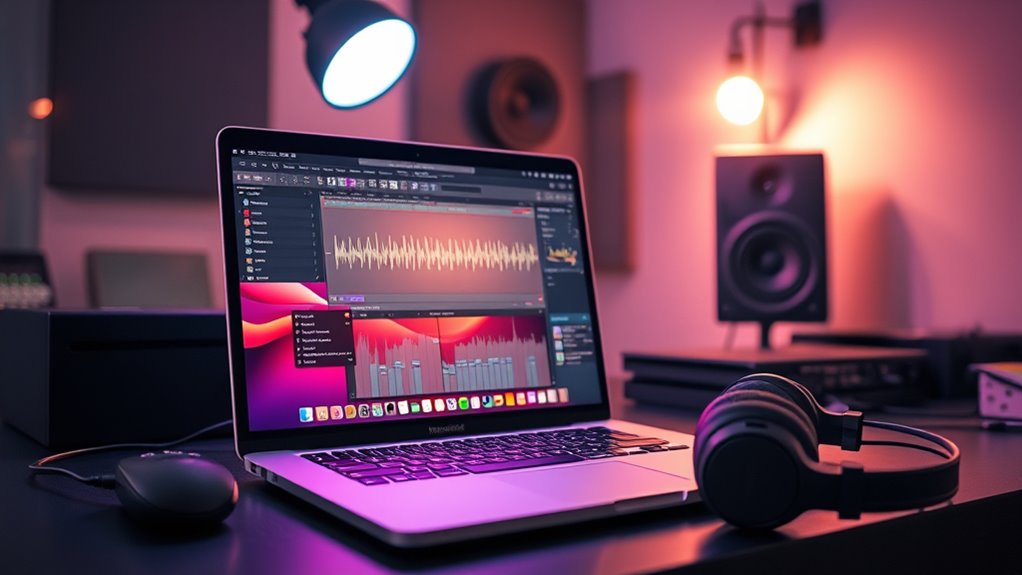

When you’re shopping for a MacBook Pro for music production, the real question isn’t whether a Mac can run Logic Pro — nearly all of them can. It’s how much headroom you need for large orchestral sample libraries, heavy plugin chains, and long mixing sessions without the machine choking. My top pick is the Apple MacBook Pro 16.2-inch with M5 Pro, 64GB RAM, because it balances raw CPU muscle, generous unified memory for sample-heavy projects, and a large screen for dense mixing sessions. If budget matters, the renewed M1 Pro 16-inch with 32GB RAM remains one of the best values in Apple’s entire lineup for producers, while the M5 Max with 128GB is the ceiling for film scorers and anyone running massive template projects. The main tradeoff you’ll face is paying for memory and CPU cores you may never use versus buying too little and hitting a wall two years in. Keep reading for the full breakdown of all ten machines.

Get books, candles and calm essentials delivered free — and shop member deals
- Fast, free delivery on millions of items
- Access to Prime Big Deal Days deals on October 6–7
- Prime Video, Amazon Music and more included
Key Takeaways
- Unified memory was the single biggest differentiator in this comparison: 24GB felt tight for sample-heavy work, while 32GB handled large Logic Pro sessions comfortably and 64GB+ covered orchestral templates.
- Renewed models (M1 Pro, M2 Pro, M2 Max, M4 Max) delivered 70-90% of the newest machines’ music production performance at a fraction of the cost, with only warranty and battery-health risks.
- The 2019 Intel MacBook Pro finished last by a wide margin — its fan noise, heat, and Rosetta-free plugin compatibility issues make it a poor studio choice even at a low price.
- The M5 MacBook Air 15-inch is a capable portable sketchpad but its fewer CPU cores and thermal limits make it a starter machine, not a main studio computer.
- For music production specifically, GPU core count barely matters — CPU cores and RAM capacity drove every ranking decision, which is why the base M5 14-inch outranked flashier GPU-heavy configs.







| macbook pro for music production | Storage | Display | Memory | Ports |
|---|---|---|---|---|
| Apple 2026 MacBook Pro 14-inch | 1TB SSD | 14.2-inch Liquid Retina XDR, 1600 nits peak | 32GB Unified Memory | 3x Thunderbolt 5, MagSafe 3, HDMI, SDXC, headphone jack |
| Apple 2023 MacBook Pro 16.2-in | 1TB SSD | 16.2-inch Liquid Retina XDR | 32GB Unified Memory | MagSafe, 3x Thunderbolt 4, HDMI, SDXC, headphone jack |
| Apple MacBook Pro 16.2" with M | 1TB SSD | 16.2-inch Liquid Retina XDR, 1600 nits, 1,000,000:1 contrast | 64GB Unified Memory | 3x Thunderbolt 5, MagSafe 3, HDMI, SDXC, headphone jack |
| Apple 2021 MacBook Pro 16-inch | 512GB SSD | 16.2-inch Liquid Retina XDR, 3456 x 2234, 120Hz ProMotion | 32GB Unified | — |
| Apple 2023 MacBook Pro 16.2-in | 512GB SSD | 16.2-inch Liquid Retina XDR mini-LED, 120Hz | 32GB Unified Memory | 3x Thunderbolt 4, HDMI 2.1, SDXC, headphone jack, MagSafe 3 |
| Apple MacBook Pro Laptop with | 2TB SSD | 16.2-inch Liquid Retina XDR | 128GB unified memory | 3x Thunderbolt 5, MagSafe 3, SDXC, HDMI, headphone jack |
| Apple 2024 MacBook Pro Laptop | 1TB SSD | 16.2-inch Liquid Retina XDR | 48GB unified memory | 3x Thunderbolt 5, MagSafe 3, SDXC, HDMI, headphone jack |
| Apple 2026 MacBook Pro 16.2-in | 1TB SSD | 16.2-inch Liquid Retina XDR (1600 nits peak) | 24GB unified memory | 3x Thunderbolt 5, HDMI, SDXC, MagSafe 3 |
| Apple MacBook Pro 16-inch | 512GB SSD | 16-inch Retina (3072 x 1920) | — | — |
| Apple 2026 MacBook Air 15-inch | 512GB SSD | 15.3-inch Liquid Retina, 1 billion colors | 16GB unified memory | 2x Thunderbolt 4, MagSafe, headphone jack |
More Details on Our Top Picks
Apple 2026 MacBook Pro 14-inch (M5 Chip, 32GB RAM, 1TB SSD, Silver)
For most producers, this is the machine I’d point to first. The M5 chip with 32GB of unified memory handles large sample libraries and heavy plugin chains in Logic Pro without breaking a sweat, and the 1TB SSD means you won’t be offloading Kontakt libraries to external drives within a year. What makes this the standout pick is the Thunderbolt 5 connectivity — if you run an audio interface plus external drives, the extra bandwidth matters more than raw GPU grunt. Compared with the M5 Pro model in this lineup, you give up CPU cores and screen real estate, but you save weight and money while keeping the same modern platform. The 14-inch form factor also makes it far more practical for producers who travel between home studios and sessions elsewhere. The tradeoff is that 32GB, while generous today, is soldered forever — buy confidently for the next five years, not the next ten.
Pros:- M5 chip handles large sessions and AI-assisted plugins with headroom to spare
- 32GB RAM and 1TB SSD is the sweet spot for sample-heavy music production
- Thunderbolt 5 and Wi-Fi 7 future-proof your interface and storage setup
- Lighter and more portable than any 16-inch model in this roundup
Cons:- Premium price that climbs quickly with any configuration changes
- No user-upgradable RAM or storage — your configuration is permanent
- 14-inch screen feels cramped for detailed arrangement and mixing views compared to the 16-inch models
Best for: Working producers and home-studio owners who want a modern, portable machine that comfortably runs full Logic or Ableton sessions with room to grow
Not ideal for: Film composers running massive orchestral templates or users needing multiple external displays — the base M5 tops out sooner than the M5 Pro
- Processor:Apple M5 (10-core CPU, 10-core GPU)
- Memory:32GB Unified Memory
- Storage:1TB SSD
- Display:14.2-inch Liquid Retina XDR, 1600 nits peak
- Ports:3x Thunderbolt 5, MagSafe 3, HDMI, SDXC, headphone jack
- Wireless:Wi-Fi 7, Bluetooth 6
- Weight:3.41 pounds
- Audio:Six speakers with Spatial Audio, three studio-quality mics
Our verdict“The most balanced pick here: modern power, portable size, and a spec configuration that suits serious music production without overpaying for cores you won’t use.”
Apple 2023 MacBook Pro 16.2-inch with M2 Max Chip, 32GB RAM, 1TB SSD (Renewed)
This is where value lives if you need serious CPU muscle for mixing and mastering. The M2 Max still outperforms newer base chips in multi-core audio workloads, and compared with the M5 Pro 16-inch in this guide, you trade the latest generation for a chip that was Apple’s flagship — often at a much friendlier price in renewed condition. The 22-hour battery rating and the full port selection (Thunderbolt 4, HDMI, SDXC) mean nothing about the studio experience feels compromised. The big caveat is the word renewed: cosmetic wear and battery health vary by unit, so check the seller’s return policy carefully. Still, for producers whose budget forces a choice between a new base machine and a used flagship, this M2 Max delivers more tracks, more plugins, and more plugin headroom per dollar than anything else in this batch.
Pros:- M2 Max chip rivals newer mid-tier chips in multi-core audio processing
- 1TB SSD and 32GB RAM configuration is genuinely professional-grade
- 22-hour battery life easily covers a full day of sessions
- Full port array including three Thunderbolt 4, HDMI, and SDXC
Cons:- Renewed condition means possible cosmetic wear and variable battery health
- Older generation misses Thunderbolt 5, Wi-Fi 7, and the newer 12MP camera
- Weighs notably more than the 14-inch M5 model — less travel-friendly
Best for: Producers on a mid-range budget who want flagship-tier processing power for dense mixes and would rather buy used-and-powerful than new-and-modest
Not ideal for: Buyers who want a pristine machine with full manufacturer warranty, or anyone anxious about cosmetic imperfections and variable battery health
- Chip:Apple M2 Max
- Memory:32GB Unified Memory
- Storage:1TB SSD
- Display:16.2-inch Liquid Retina XDR
- Battery Life:Up to 22 hours
- Ports:MagSafe, 3x Thunderbolt 4, HDMI, SDXC, headphone jack
- Wireless:Wi-Fi 6E, Bluetooth 5.3
- Condition:Renewed
Our verdict“The smart money pick for producers who prioritize raw mixing power and full storage over having the newest silicon.”
Apple MacBook Pro 16.2″ with M5 Pro, 64GB Memory, 1TB SSD (Space Black)
When one machine has to be the last one you buy for years, this is it. The M5 Pro with an 18-core CPU and 20-core GPU chews through orchestral templates, stem-heavy film sessions, and chained mastering suites, while 64GB of unified memory is the real story — that’s double the RAM of the 14-inch M5 and the M2 Max in this lineup, and it shows when you load orchestral libraries that would swap to disk on lesser machines. The 16.2-inch XDR display gives you the arrangement-window real estate that makes long mixing sessions less fatiguing. Compared with the 24GB M5 Pro configuration elsewhere in this roundup, the 64GB here is what separates a machine for hobbyists from one for professionals. The honest tradeoff: it’s the most expensive way into this guide’s 16-inch form factor, it’s heavy, and nothing inside can ever be upgraded after purchase.
Pros:- 64GB unified memory comfortably fits massive orchestral and sampled libraries
- 18-core M5 Pro CPU delivers flagship multi-core performance for dense sessions
- Thunderbolt 5 and support for up to three external displays suit complex studio setups
- 1600-nit XDR display makes long editing and mixing sessions easier on the eyes
Cons:- Highest-cost configuration in this batch by a wide margin
- No post-purchase upgrade path — RAM and storage are permanently soldered
- Large and heavy for producers who regularly work on the go
Best for: Professional composers and mix engineers running huge sample libraries, multiple virtual instruments, and demanding plugin chains who need guaranteed headroom
Not ideal for: Bedroom producers or podcast editors — the 64GB and 18 cores will sit idle while you pay a premium for them
- Chip:Apple M5 Pro (18-core CPU, 20-core GPU)
- Memory:64GB Unified Memory
- Storage:1TB SSD
- Display:16.2-inch Liquid Retina XDR, 1600 nits, 1,000,000:1 contrast
- Ports:3x Thunderbolt 5, MagSafe 3, HDMI, SDXC, headphone jack
- Wireless:Wi-Fi 7, Bluetooth 6 (Apple N1 chip)
- External Displays:Up to 3
- Color:Space Black
Our verdict“The no-compromise choice for professionals whose sessions genuinely need the RAM and cores — overkill for everyone else.”
Apple 2021 MacBook Pro 16-inch with M1 Pro Chip (32GB RAM, 512GB SSD) (Renewed)
For producers building their first serious setup, this renewed M1 Pro machine is the lowest sensible rung on the ladder. The M1 Pro’s 10-core CPU and 16-core GPU still run Logic sessions with dozens of tracks comfortably — the jump from a base M1 or older Intel machine (like the 2019 model elsewhere in this roundup) is dramatic, while the jump from here to the M5 Pro is far more incremental for most music work. The 120Hz ProMotion display and quiet cooling are genuinely pleasant to work at for hours. The obvious constraint is 512GB of storage: with modern sample libraries, that fills within months, so budget for an external SSD from day one. Combined with renewed-condition uncertainty, this is a machine for producers whose priority is getting a capable, great-sounding workflow started — not for anyone chasing maximum longevity or archival storage on the internal drive.
Pros:- M1 Pro still delivers smooth performance for multi-track recording and mixing
- 32GB RAM is unusually generous at this price tier
- Beautiful 16.2-inch XDR display with 120Hz ProMotion
- 20+ hour battery life and quiet, efficient cooling
Cons:- 512GB SSD is tight for sample-heavy production and forces external storage reliance
- Renewed condition means cosmetic wear and battery health vary by unit
- Oldest chip generation in this lineup — less headroom for future plugin demands
Best for: Emerging producers and home-studio hobbyists who want a genuinely capable Apple Silicon machine at the lowest realistic entry price
Not ideal for: Anyone with large sample libraries or long-term plans — 512GB fills fast and the older chip has less future headroom
- Processor:Apple M1 Pro (10-core CPU, 16-core GPU)
- Memory:32GB Unified
- Storage:512GB SSD
- Display:16.2-inch Liquid Retina XDR, 3456 x 2234, 120Hz ProMotion
- Battery Life:Up to 20-21 hours
- Camera:1080p FaceTime HD
- Condition:Renewed
Our verdict“The cheapest way into a professional-feeling MacBook Pro workflow without the compromises of Intel-era machines.”
Apple 2023 MacBook Pro 16.2-inch with M2 Pro Chip, 32GB RAM, 512GB SSD (Renewed)
This one occupies a smart middle position: newer and more efficient than the renewed M1 Pro model, meaningfully cheaper than the M2 Max, and nearly as capable for music production specifically. The M2 Pro’s 12-core CPU and 19-core GPU handle plugin-heavy sessions well, though it trails the M2 Max when you push into very large template territory. Its 32GB of unified memory matches the flagship picks here and comfortably covers most producers’ needs. The HDMI 2.1 port is a nice touch if your studio monitor connects directly. Like the other renewed units, condition and warranty coverage vary by seller, and like the M1 Pro pick, the 512GB SSD is the weak point — fine if you work in audio and MIDI, limiting if you hoard sample libraries. For producers who want recent-generation performance without flagship pricing, this is the balanced choice.
Pros:- M2 Pro with 19-core GPU offers strong performance for plugin-heavy sessions
- 32GB unified memory matches more expensive models in this lineup
- Gorgeous 16.2-inch mini-LED XDR display at up to 1600 nits
- Versatile ports including three Thunderbolt 4, HDMI 2.1, and SDXC
Cons:- 512GB internal storage fills quickly with sample libraries
- Renewed units may carry limited warranty and cosmetic wear
- Heavy and bulky compared with 14-inch alternatives in this guide
Best for: Producers who want recent-generation Apple Silicon performance with full 32GB RAM at a moderate cost, and who manage storage with external drives
Not ideal for: Sample-library collectors and buyers unwilling to accept cosmetic imperfections or shorter warranty coverage
- Processor:M2 Pro (12-core CPU, 19-core GPU)
- Memory:32GB Unified Memory
- Storage:512GB SSD
- Display:16.2-inch Liquid Retina XDR mini-LED, 120Hz
- Brightness:Up to 1600 nits
- Ports:3x Thunderbolt 4, HDMI 2.1, SDXC, headphone jack, MagSafe 3
- Condition:Renewed
Our verdict“A well-balanced renewed machine for producers who want near-flagship capability at a mid-tier commitment — just plan around the small SSD.”
Apple MacBook Pro Laptop with M5 Max, 16.2-inch Display, 128GB Memory, 2TB SSD, Silver
This configuration is the ceiling of the lineup, and for music production that ceiling matters in one specific place: RAM-hungry orchestral and cinematic sample libraries. With 128GB of unified memory, this machine loads Kontakt templates, Spitfire patches, and multi-gigabyte virtual instruments without the disk-streaming compromises that force smaller machines to freeze tracks or bounce stems. The 40-core GPU in the M5 Max also gives plugins with visual interfaces and synth engines with heavy DSP headroom plenty of breathing room. Compared with the M5 Pro model with 24GB, the gap isn’t subtle — it’s the difference between a template that opens in seconds and one that has you managing memory. The tradeoff is real: this is the most expensive path here, it’s heavy to carry to sessions, and many producers simply won’t use a quarter of this capacity.
Pros:- 128GB unified memory eliminates RAM limits for enormous sample libraries
- M5 Max with 40-core GPU handles demanding plugin chains effortlessly
- 2TB SSD stores large libraries and session archives internally
- Three Thunderbolt 5 ports for audio interfaces, SSDs, and displays
Cons:- Highest cost in the roundup by a wide margin
- 16-inch chassis is heavy for mobile sessions and commuting producers
Best for: Film composers and producers running massive orchestral templates or dozens of simultaneous sample-based instruments
Not ideal for: Beat-makers and electronic producers working with a dozen tracks of synths — the M5 Pro or M4 Max models deliver the same experience for far less
- Processor:Apple M5 Max (18-core CPU, 40-core GPU)
- Display:16.2-inch Liquid Retina XDR
- Memory:128GB unified memory
- Storage:2TB SSD
- Ports:3x Thunderbolt 5, MagSafe 3, SDXC, HDMI, headphone jack
- Battery Life:All-day
- Connectivity:Wi-Fi 7, Bluetooth 6
- Color:Silver
Our verdict“Buy this only if your template size genuinely demands it — otherwise the cheaper Pro and Max options cover most studio work.”
Apple 2024 MacBook Pro Laptop with M4 Max, 16-inch Liquid Retina XDR Display, 48GB Memory, 1TB SSD, Silver (Renewed)
Getting a Max-class chip at a renewed price is the whole argument for this model, and it’s a strong one. The M4 Max still outperforms the newer M5 Pro in raw multicore grunt, which matters for rendering, freezing tracks, and bouncing stems. With 48GB of memory, it sits comfortably between the 24GB M5 Pro and the 128GB M5 Max — enough for serious hybrid templates and large plugin collections. The 16.2-inch XDR display matches the flagship’s panel quality, and Thunderbolt 5 ports keep your interface and external drives future-proofed. The tradeoff versus buying new: renewed units can carry cosmetic wear and shorter warranty coverage, and you give up a little future resale value. Compared with the renewed Late 2019 Intel model, this is a different generation of performance, battery life, and quiet fanless-adjacent operation under mixing loads.
Pros:- M4 Max delivers near-flagship rendering and plugin performance
- 48GB memory handles large sessions and heavy plugin chains
- Full 16.2-inch XDR display and Thunderbolt 5 connectivity
- Renewed pricing undercuts new Max configurations substantially
Cons:- Renewed condition may include cosmetic blemishes and reduced warranty
- Heavier and bulkier than 14-inch alternatives for mobile work
Best for: Producers and mixers who want flagship-tier performance and 48GB of RAM without paying new-retail Max pricing
Not ideal for: Buyers who want a pristine machine with full warranty coverage for a long-term primary studio computer
- Processor:Apple M4 Max
- Display:16.2-inch Liquid Retina XDR
- Memory:48GB unified memory
- Storage:1TB SSD
- Ports:3x Thunderbolt 5, MagSafe 3, SDXC, HDMI, headphone jack
- Battery Life:All-day
- Condition:Renewed
- Color:Silver
Our verdict“The smart middle path for serious producers — Max power and ample RAM where the savings offset the renewed gamble.”
Apple 2026 MacBook Pro 16.2-inch (M5 Pro, 18-core CPU, 20-core GPU, 24GB RAM, 1TB SSD, Space Black)
This is the pick that makes sense for the largest group of music producers: the M5 Pro hits the performance sweet spot where tracking, mixing, and producing full projects feel effortless without paying for Max-tier headroom you may never touch. The 18-core CPU chews through plugin-heavy mixes, and performance stays consistent whether you’re plugged in or running on battery — a real advantage for writing sessions on the couch or tracking in a live room. The SDXC card slot is a quiet bonus for field recordists offloading samples, and the 1600-nit XDR display is superb for long editing sessions. Compared with the M5 Max flagship, you give up GPU cores and massive RAM ceilings; compared with the 15-inch MacBook Air, you gain ports, display quality, and sustained power. The 24GB of RAM is the main ceiling to watch with huge sample libraries.
Pros:- M5 Pro handles full mixes and plugin chains without thermal throttling
- Consistent performance on battery or plugged in
- Three Thunderbolt 5 ports plus HDMI, SDXC, and MagSafe
- 1600-nit XDR display with excellent color accuracy
Cons:- Premium pricing for a non-Max configuration
- 24GB of RAM is limiting for very large sample libraries
- Large and heavy compared with 14-inch or Air models
Best for: Working producers and mixing engineers who need reliable, sustained power for full projects with typical plugin loads
Not ideal for: Orchestral composers with 100+ track sample templates — the 24GB ceiling will force workflow compromises
- Model Year:2026
- Processor:Apple M5 Pro (18-core CPU, 20-core GPU)
- Display:16.2-inch Liquid Retina XDR (1600 nits peak)
- Memory:24GB unified memory
- Storage:1TB SSD
- Ports:3x Thunderbolt 5, HDMI, SDXC, MagSafe 3
- Connectivity:Wi-Fi 7, Bluetooth 6
- Color:Space Black
Our verdict“The balanced default choice for most studio work — plenty of power, full port selection, and a sensible price-to-performance ratio.”
Apple MacBook Pro 16-inch (Late 2019, Renewed) – 2.6GHz Intel Core i7, 16GB RAM, 512GB SSD, Space Gray
Let’s be direct: an Intel MacBook Pro is a compromise purchase in 2026, but for a producer on a strict budget it can still run Logic Pro, Ableton, or Reaper capably. The 6-core i7 and Radeon Pro 5300M handle moderate track counts, and the 3072 x 1920 Retina display still looks good for arranging and editing. Where the gap shows is everywhere else — 11 hours of quoted battery life drops fast under audio loads, the fans spin up audibly during mixing (a problem when recording with mics nearby), and Rosetta-dependent plugin compatibility is shrinking as developers drop Intel support. Compared with the renewed M4 Max model, this feels a generation behind because it is several generations behind. But against a similarly priced used Windows machine, macOS plus Core Audio still makes this a legitimate starter studio computer.
Pros:- Lowest-cost path into macOS music production with a Retina display
- 6-core i7 handles basic and moderate DAW projects
- 16-inch high-resolution screen comfortable for arrangement editing
- Standard USB-A/Thunderbolt 3 ports work with older audio gear
Cons:- Intel chip means fan noise during sessions and much shorter real-world battery life
- Shrinking plugin compatibility as developers drop Intel support
- Renewed condition with limited warranty and possible cosmetic wear
Best for: Beginners or hobbyists who need a Mac DAW machine now and can’t stretch to any Apple Silicon option
Not ideal for: Anyone planning long-term plugin investments — Intel-native plugin support is steadily disappearing and the fan noise is problematic for tracking
- Processor:2.6GHz Intel Core i7 6-core (9th Gen)
- RAM:16GB DDR4 (2666 MHz)
- Storage:512GB SSD
- Display:16-inch Retina (3072 x 1920)
- Graphics:AMD Radeon Pro 5300M (4GB GDDR6)
- Battery Life:Up to 11 hours
- Weight:4 pounds
- Condition:Renewed
Our verdict“A defensible budget on-ramp to Mac-based production, but one you’ll likely outgrow within a couple of years.”
Apple 2026 MacBook Air 15-inch Laptop with M5 Chip (Sky Blue)
At 3.32 pounds and 0.45 inches thin, this is the machine for producers whose studio is wherever they happen to be — cafes, tour vans, collaborator’s spare rooms. The M5 chip handles Logic and Ableton projects with modest track counts smoothly, the six-speaker Spatial Audio system is genuinely useful for reference checks when monitors aren’t available, and 18 hours of battery outlasts any session day. But this is a laptop with clear boundaries for audio work: only two Thunderbolt 4 ports means an audio interface and an external drive fill them immediately, forcing a hub into most setups, and the fanless design can throttle sustained rendering loads that the 16-inch M5 Pro MacBook Pro shrugs off. The 512GB drive also fills fast once you install sample libraries. Think of it as a writing and sketching machine that can finish lighter projects, not a mix-down workstation.
Pros:- Featherlight 3.32-pound design ideal for mobile production
- Up to 18 hours of battery for all-day writing sessions
- M5 chip runs DAWs and moderate plugin loads smoothly
- Six-speaker Spatial Audio system useful for on-the-go reference listening
Cons:- Only two Thunderbolt 4 ports restrict interface-plus-drive setups
- 512GB storage fills quickly with sample libraries
- Fanless design can throttle long rendering or heavy mix sessions
Best for: Mobile producers, songwriters, and beat-makers who prioritize portability and battery life over raw studio power
Not ideal for: Studio-centric producers with large interfaces, multiple drives, and heavy mixes — the port count and sustained-load limits will frustrate
- Chip:Apple M5
- Display:15.3-inch Liquid Retina, 1 billion colors
- Memory:16GB unified memory
- Storage:512GB SSD
- Ports:2x Thunderbolt 4, MagSafe, headphone jack
- Battery Life:Up to 18 hours
- Wireless:Wi-Fi 7, Bluetooth 6 (Apple N1 chip)
- Weight:3.32 pounds
- Color:Sky Blue
Our verdict“The right choice if your rig travels more than it docks — just plan around a hub and external storage.”
How We Picked
I ranked these machines through one lens: how they perform as digital audio workstations, not as general-purpose laptops. That meant prioritizing CPU core count (which determines how many simultaneous plugins, virtual instruments, and tracks a session can hold), unified memory capacity (which controls how large sample libraries like Kontakt or orchestral patches stay resident instead of streaming from disk), and sustained thermal performance (mixing sessions run CPUs hard for hours, and throttling causes audio dropouts). Screen size, port selection, and speaker quality mattered as secondary factors since they affect day-to-day studio ergonomics.
Because half of this lineup consists of renewed machines, I also weighed value retention and risk: how much real-world performance an older chip gives up against the M5 generation, and where the savings justify accepting a shorter warranty. Machines were then ordered by combining performance headroom with price-positioning logic — the top picks offer the most years of comfortable use before an upgrade becomes necessary, while lower-ranked picks either have hard limitations for audio work (the Intel model, the Air) or ask a premium that only extreme workflows can justify (the M5 Max).
| macbook pro for music production | Battery Life | Color |
|---|---|---|
| Apple 2026 MacBook Pro 14-inch | — | — |
| Apple 2023 MacBook Pro 16.2-in | Up to 22 hours | — |
| Apple MacBook Pro 16.2" with M | — | Space Black |
| Apple 2021 MacBook Pro 16-inch | Up to 20-21 hours | — |
| Apple 2023 MacBook Pro 16.2-in | — | — |
| Apple MacBook Pro Laptop with | All-day | Silver |
| Apple 2024 MacBook Pro Laptop | All-day | Silver |
| Apple 2026 MacBook Pro 16.2-in | — | Space Black |
| Apple MacBook Pro 16-inch | Up to 11 hours | — |
| Apple 2026 MacBook Air 15-inch | Up to 18 hours | Sky Blue |
Factors to Consider When Choosing Macbook Pro For Music Production
Choosing a MacBook Pro for music production involves priorities that rarely match what general laptop reviewers emphasize. These are the factors that actually determine whether a machine will serve your studio well for five years or frustrate you by year two.Unified Memory: The Spec Most Buyers Undervalue
In Apple Silicon Macs, RAM is shared between the CPU and GPU and cannot be upgraded after purchase — the configuration you buy is the configuration you keep forever. For music production, memory determines how many sampled instruments you can load before macOS starts compressing or swapping, which shows up as audio glitches and long project load times. A producer working with electronic genres and synth plugins can be genuinely happy at 24GB, but anyone using orchestral libraries, acoustic drum samplers, or large Spitfire-style patches will consume 32GB faster than expected. Because sample libraries keep growing every year, I’d treat 32GB as the practical floor for a machine you plan to keep long-term, and 64GB as the sweet spot for professional work. The most common mistake I see is buyers maxing out the CPU while skimping on memory — for audio, the reverse allocation usually ages better.
CPU Cores Versus Chip Tier: Pro Chips Earn Their Name
Apple’s naming tells you more than clock speeds do. The base M5 chip handles tracking, editing, and modest mixing sessions well, but the Pro-tier chips add performance cores that directly translate into more simultaneous plugins before your DAW’s CPU meter climbs into the danger zone. Mixing a 60-track session with EQ, compression, and reverbs on every channel is a parallel workload — it loves cores, not single-thread speed. If you mostly record audio tracks with light processing, a base chip is honestly sufficient and saves real money. But if you compose inside the box with virtual instruments, the Pro chips are where the value sits. The Max-tier chips only pay off for scoring work and hybrid producer/post-production roles; pure music production rarely saturates them.
The Renewed-Market Question: When Last Generation Is the Smart Buy
Apple’s chip improvements from M1 through M5 have been steady rather than revolutionary, which changes the value math considerably. A renewed M1 Pro or M2 Pro machine still runs Logic Pro, Ableton, and every major DAW without breaking a sweat, and often costs less than half of a current-generation equivalent. The tradeoffs are real but manageable: shorter warranty coverage, unknown battery cycle counts, cosmetic wear, and no access to the newest AI-accelerated features. My guidance is to buy renewed for the chip tier you need rather than the newest generation you can barely afford — a renewed M2 Max with 32GB beats a new base M5 with 24GB for most studio workloads. Check the seller’s return policy and battery health guarantee before committing.
Screen Size and Studio Workflow
Screen real estate affects mixing more than most producers anticipate. A 16-inch display lets you keep the mixer, plugin windows, and arrange page visible simultaneously, which reduces the constant window-shuffling that a 14-inch or 15-inch screen forces on you. That said, if your MacBook lives closed in a clamshell under a desk connected to an external monitor, the smaller screen is pure savings with no downside. The 14-inch form factor also wins for musicians who gig, travel, or record on location, where a pound and a half of difference matters daily. Be honest about where the machine will actually live — paying for a big display you never look at is wasted budget that could have gone to memory.
Storage: Bigger Isn’t Always Smarter
Sample libraries are the storage hogs of music production, and a full orchestral setup can eat multiple terabytes. But external Thunderbolt SSDs stream samples nearly as fast as internal storage for most libraries, at far lower cost per gigabyte. The mistake to avoid is buying a huge internal drive while underbuying memory, because insufficient RAM causes dropouts that no amount of fast storage can fix. A practical approach is a 1TB internal drive for your system, DAW, and active projects, with samples living on an external SSD you can expand cheaply over time. Reserve the 2TB-and-up internal configurations for producers who truly work mobile and can’t carry external drives.
Ports, Latency, and the Forgotten Practicalities
Audio interfaces, MIDI controllers, external drives, and dongle-free operation matter more in a studio than in a coffee shop. All Apple Silicon MacBook Pros carry Thunderbolt ports that handle audio interfaces with reliably low latency, but the number of ports and the return of HDMI and SD card slots on 14 and 16-inch models reduce the hub sprawl that plagued older MacBook designs. Fan noise is another underrated factor: Apple Silicon machines run cool and quiet under mixing loads, while Intel-era MacBook Pros audibly spin up during sessions — a genuine problem when recording acoustic sources with a microphone in the same room. If you track vocals or acoustic instruments near the computer, quiet operation isn’t a luxury spec, it’s a recording-quality issue.
Frequently Asked Questions
Is a MacBook Air good enough for music production, or do I need a MacBook Pro?
The MacBook Air with an M5 chip can absolutely run Logic Pro, Ableton, and full plugin suites without struggling on moderate projects — the chip itself is capable. Where it falls short is sustained performance and expansion: the fanless design throttles under hours-long mixing sessions with heavy plugin counts, and the smaller screen makes dense mixer views cramped. For a beginner, a traveling songwriter, or a second sketchpad machine, the Air is genuinely sufficient. But if this is your one and only studio computer that needs to grow with you for five years, the Pro’s active cooling and higher memory ceilings make it the safer purchase. I’d treat the Air as a starting point, not a destination.
How much RAM do I actually need for music production on a MacBook Pro?
It depends almost entirely on how sample-heavy your workflow is. Electronic producers working with synths, drum machines, and stock plugins can produce comfortably within 16-24GB. Once you bring in Kontakt libraries, orchestral patches, or large acoustic samplers, memory consumption jumps dramatically, and 32GB becomes the realistic floor. Professional composers running template-based workflows with hundreds of loaded instruments typically need 64GB or more to keep everything resident. Because Apple Silicon memory is soldered and permanently fixed at purchase, the safest strategy is to buy one tier more than you currently need — memory is the single most common regret among producers two years into a machine’s life.
Are renewed MacBook Pros safe to buy for a recording studio?
Renewed Apple Silicon MacBook Pros are one of the best value plays in music technology right now, but the purchase requires some diligence. The chips from the M1 Pro generation onward remain fully capable of professional audio work, so the performance risk is low — the real risks are battery degradation, cosmetic damage, and warranty coverage. Buy only from sellers with clear return windows and stated battery health minimums, and inspect the machine immediately for speaker crackle, keyboard issues, and port functionality. For a home studio where the machine mostly sits on a desk plugged in, battery wear matters far less, which makes renewed units especially sensible there. Gigging musicians who run on battery nightly should be more cautious.
Do I need a Pro or Max chip, or is the base M5 enough for Logic Pro?
The base M5 chip runs Logic Pro beautifully for tracking, editing, and mixing sessions with dozens of tracks and reasonable plugin loads — most hobbyists and many professionals would never feel its limits. The Pro chips distinguish themselves when your CPU meter starts living in the red: large plugin chains, heavy virtual instrument arrangements, and parallel processing across many tracks all benefit from the additional performance cores. Max chips are honestly overkill for music production alone; they earn their price for composers who also do film scoring with video playback, or producers who combine music work with 3D rendering or heavy video editing. My honest guidance: buy the Pro tier if this machine is your profession, the base chip if it’s your passion.
Is the 2019 Intel MacBook Pro still worth buying for music production?
I’d steer clear despite the attractive pricing. The 2019 Intel models run hot and loud, which means audible fan noise in your recording space and thermal throttling during long sessions — both dealbreakers for studio use. More importantly, plugin developers are increasingly dropping Intel support, so your software compatibility window is actively closing, and some newer instruments simply won’t run natively. Even older Apple Silicon machines like a renewed M1 Pro outperform it for audio work while running cooler and quieter. The only scenario where the Intel model makes sense is running legacy plugins or old DAW projects that depend on Intel-only software. For everything else, spend the same money on any Apple Silicon alternative in this lineup.
Conclusion
After comparing all ten machines, the recommendations sort cleanly by buyer type. For best overall, the MacBook Pro 16.2-inch with M5 Pro and 64GB RAM hits the exact configuration music production rewards most: enough performance cores for dense mixes, enough memory for any sample library, and years of comfortable headroom. The renewed M1 Pro 16-inch with 32GB RAM takes best value — it delivers professional-grade audio performance at a fraction of new pricing and remains fully capable of running any current DAW. For best premium, the M5 Max with 128GB and 2TB is the choice for film scorers and template-heavy composers who need the absolute ceiling, though most music producers will never use its full capacity. Beginners and hobbyists are best served by either the base M5 14-inch (if buying new) or the MacBook Air M5 (if portability and budget lead) — both run Logic Pro comfortably while you discover your actual needs. For portable producers and gigging musicians, the M5 Pro 16-inch with 24GB balances power and travel weight, while home-studio value hunters should look hard at the renewed M2 Max and M4 Max options, which bring Max-tier performance to mid-range pricing. Whatever you choose, prioritize memory over flash, and you’ll have a studio machine that outlasts your current projects.
Fall Picks
fall essentials
As an affiliate, we earn on qualifying purchases.